You're sitting in a specialist's office, trying to explain why standing in the kitchen can leave you dizzy, exhausted, and aware of every beat in your chest. Your smartwatch contains weeks of heart-rate readings, but the screen mostly shows daily averages, exercise peaks, and a graph that doesn't explain what happened when you stood up.
That gap is where a heart rate alert app for POTS and dysautonomia can help. The useful question isn't just whether an app can detect a high number. It's whether it can identify a sustained, relevant episode, separate it from exercise or movement, connect it with symptoms, protect the underlying health data, and produce a report your clinician can interpret.
The Missing Link Between Smartwatches and Symptom Tracking
A standard wearable can capture valuable information without presenting it in a clinically useful way. You may remember feeling faint after a shower, having palpitations while waiting in line, or developing brain fog after a meal. Your health app may show a heart-rate rise during that period, but it usually won't tell you whether the rise began after standing, how long it continued, whether you were exercising, or what symptoms accompanied it.
That makes appointments frustrating for both sides. Patients have a vivid memory of an episode but may not know its timing or heart-rate pattern. Clinicians need objective information, yet a long stream of unfiltered readings can be difficult to review. A wearable health monitoring approach becomes more useful when it turns those readings into clearly defined episodes rather than leaving the patient to interpret a chaotic graph.
From fitness feedback to autonomic context
A fitness tracker is generally designed to answer questions such as, “How active were you?” or “How hard did you exercise?” Someone managing POTS needs different answers:
- Posture: Did the rise occur after sitting or lying down and then standing?
- Persistence: Did the heart rate remain elevated, or was it a brief sensor fluctuation?
- Movement: Were you walking, climbing stairs, or completing a workout?
- Symptoms: Did dizziness, weakness, palpitations, or brain fog occur at the same time?
- Pattern: Does the same type of episode appear after heat exposure, meals, poor sleep, or dehydration?
A purpose-built heart rate alert app acts as a translation layer between wearable measurements and those clinical questions. It doesn't diagnose POTS by itself, and it shouldn't replace a medical assessment. Instead, it helps organize the evidence that a patient and clinician can discuss together.
Why episode-based records matter
Consider two readings that both show a fast heart rate. The first occurs during a brisk walk and settles during recovery. The second begins shortly after standing, continues while the person remains upright, and coincides with lightheadedness. A generic alert may treat both events similarly. A context-aware system should preserve the distinction.
The difference is not cosmetic. A clinician may need to know the baseline rate, the size of the rise, the peak, the duration, the body position, and the associated symptoms. An episode feed can place those details together, allowing the patient to say, “This is what happened,” instead of, “I think my heart was racing sometime last week.”
How Context-Aware Detection Separates Signal from Noise
A simple high-heart-rate alarm asks one question: has the rate crossed a selected threshold? That can be useful for a high rate at rest, but it's a poor stand-in for orthostatic monitoring. A person may reach a high rate while climbing stairs, walking quickly, feeling anxious, or completing a workout. Those events may be physiologically real, but they don't necessarily represent the pattern the patient and clinician are investigating.
The evolution of wearable alerts shows why structured rules matter. The Apple Heart Study enrolled more than 400,000 participants across all 50 U.S. states over about eight months and was reported in 2019, making it the largest study of its kind at that time, according to Stanford Medicine's Apple Heart Study announcement. Among 419,297 participants, only 0.5% to 0.52% received an irregular pulse notification. During follow-up testing, 34% of notified participants were found to have atrial fibrillation, and concurrent testing produced a positive predictive value of 84%, as described in the same source.
Those findings don't establish a POTS diagnosis. They do show why alert systems need carefully designed thresholds and confirmation pathways rather than indiscriminate buzzing.
What the app should understand
A context-aware POTS monitor combines several signals:
- A rate change from the person's recent baseline, rather than relying only on one absolute number.
- A defined time window, so the system can distinguish an episode from an isolated reading.
- Sustained duration, which helps identify a continuing event.
- Movement information, often supplied by an accelerometer, to identify workouts and ordinary activity.
- Episode timing, which allows the patient to connect the event with standing, meals, medication, sleep, or symptoms.
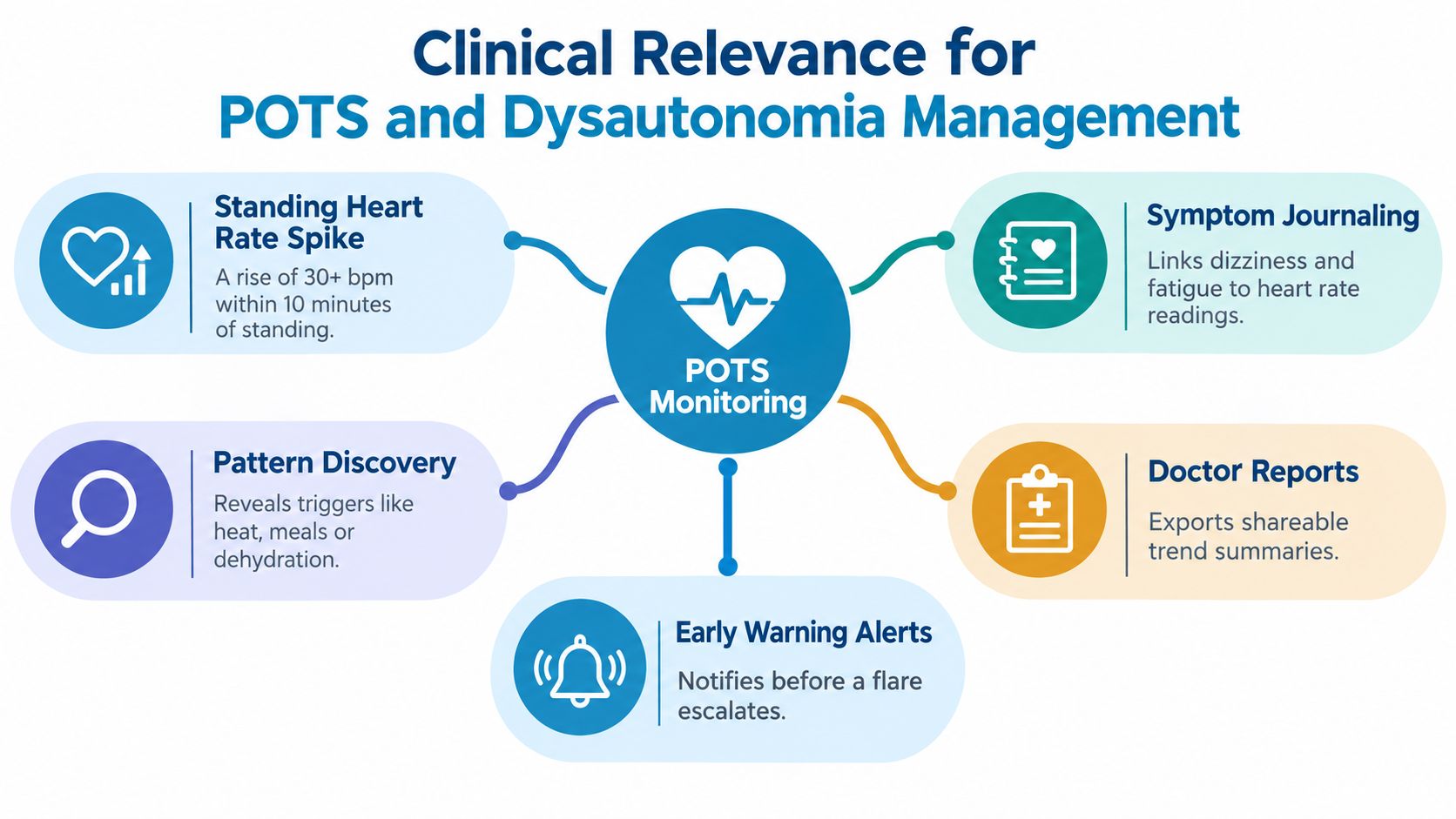
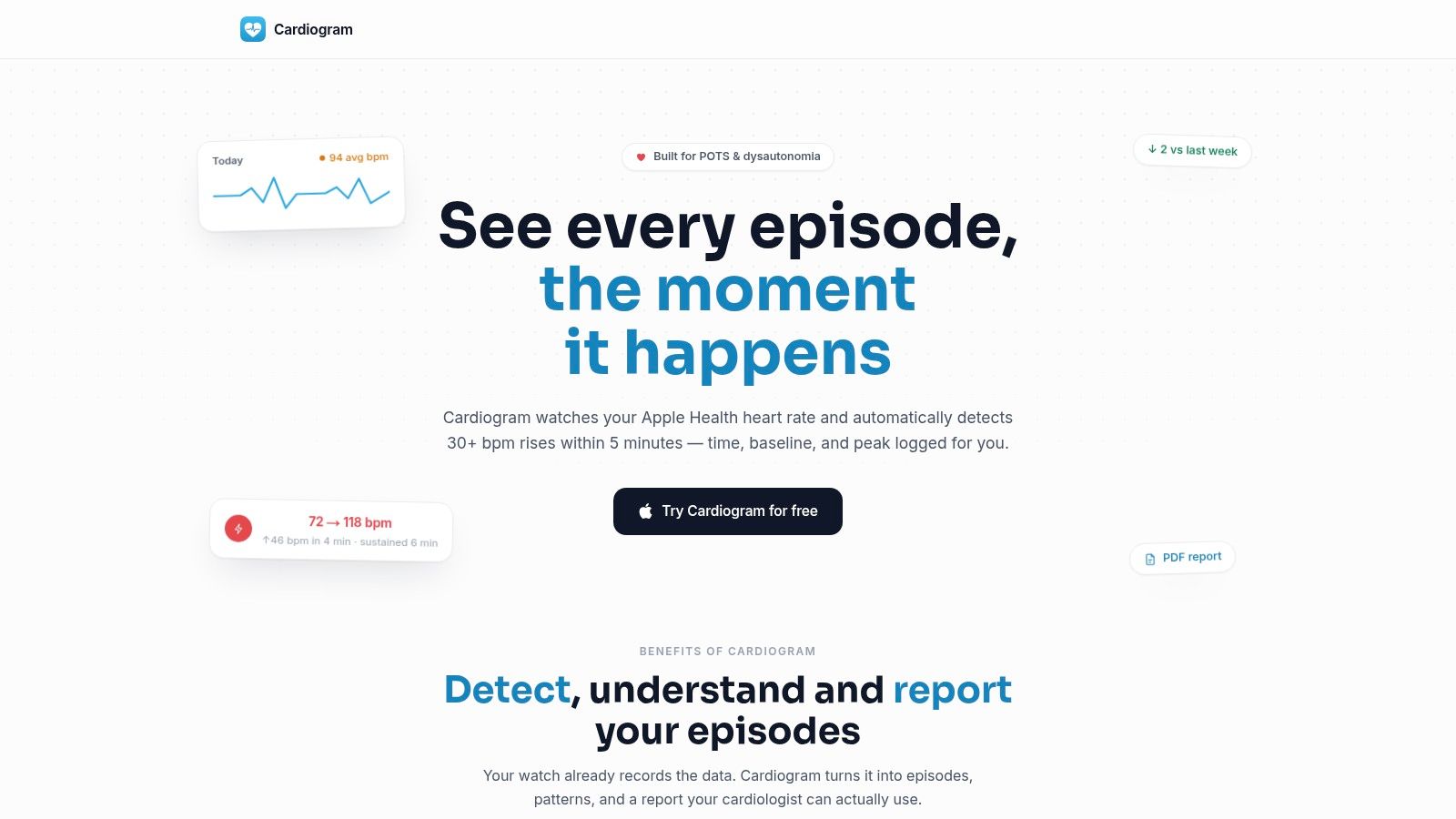
Cardiogram's stated monitoring rule identifies a rise of 30 or more beats per minute within 5 minutes, then records the baseline, peak, sustained duration, and time of occurrence. The app also excludes workouts and recovery periods from episode counts. That combination is more informative than a high-rate notification that lacks context.
The underlying principle has support in wearable POTS research. A Stanford Proceedings paper used ECG and accelerometer-derived features from daily activity in a dataset of 66 people with POTS and 20 controls, reporting that multimodal sensing could distinguish orthostatic tachycardia patterns from normal activity with promising classification performance. The Stanford Proceedings paper on wearable POTS detection supports a practical design choice: heart rate should be interpreted alongside motion, not treated as an isolated signal.
Practical rule: A useful alert should explain why an episode was counted, not only announce that a number became high.
Reducing alert fatigue
Alert fatigue begins when every ordinary activity produces the same notification. After repeated irrelevant alerts, a patient may silence the app or stop recording symptoms. That weakens the longitudinal record precisely when consistency matters most.
A better workflow uses filtering before notification. Workout exclusion, recovery exclusion, repeated readings, and episode-level summaries can reduce noise. More guidance on this design problem is available in false-positive reduction for wearable alerts.
Clinical Relevance for POTS and Dysautonomia Management
POTS symptoms rarely appear in isolation. A heart-rate rise may occur alongside dizziness, palpitations, fatigue, shakiness, headache, heat sensitivity, or difficulty thinking clearly. The same person may experience a very different day after poor sleep, low fluid intake, a medication change, or prolonged standing.
A heart rate alert app becomes clinically useful when it captures those details beside the episode. Instead of keeping a separate notebook and trying to match handwritten notes with a heart-rate graph, the patient can log symptoms and possible triggers while the event is fresh.
Turning an episode into a clinical question
A single alert can prompt a useful observation. Several weeks of structured episodes can support better questions:
- Does the heart-rate rise happen mainly after standing?
- Does it occur more often at a particular time of day?
- Are symptoms more intense after poor sleep or inadequate hydration?
- Do episodes cluster around medication timing?
- Are the largest rises associated with movement, or do they happen while standing still?
- Do symptoms continue after the heart rate begins to settle?
The app shouldn't answer these questions as a diagnosis. It can help the patient collect consistent observations that a clinician can evaluate alongside medical history, examination, testing, and other possible causes of tachycardia.
Why motion and duration change the interpretation
Raw heart rate can't reliably distinguish a patient standing in a queue from a patient walking quickly through a store. Motion context helps identify whether a rise occurred during activity. Duration helps show whether the event persisted. Together, those signals can make the episode more meaningful than a single peak value.
Clinical and feasibility work increasingly treats smartwatch heart-rate monitoring as a potential real-time autonomic signal, while also emphasizing the need to exclude other causes of tachycardia. A wearable POTS feasibility study selected a smartwatch for standalone operation, real-time heart-rate data, and cloud connectivity. Related remote diagnostic work aimed to build a complete patient profile while excluding non-orthostatic causes.
That distinction matters. A heart rate alert app can document what the wearable observed, but it can't determine whether infection, anemia, medication effects, dehydration, arrhythmia, or another condition explains the result. The report is evidence for a clinical conversation, not a diagnosis delivered by notification.
Building a longitudinal picture
The strongest record combines automatic measurements with selective human context. You don't need to write an essay after every reading. A short symptom entry, a trigger tag, and a note about posture can be enough to give an episode meaning.
Look for summaries that show:
- Episode frequency, rather than only daily averages.
- Resting-heart-rate trends, which may provide background context.
- Time-of-day patterns, which can reveal clustering.
- Symptom associations, including dizziness, fatigue, palpitations, and brain fog.
- Lifestyle and treatment context, such as hydration, salt intake, sleep, and medications.
That structure helps shift the conversation from “My watch says my heart rate was high” to “These sustained rises occurred after standing, were associated with dizziness, and were less common on days when my routine differed.” The clinician still makes the interpretation, but the patient arrives with a more usable account.
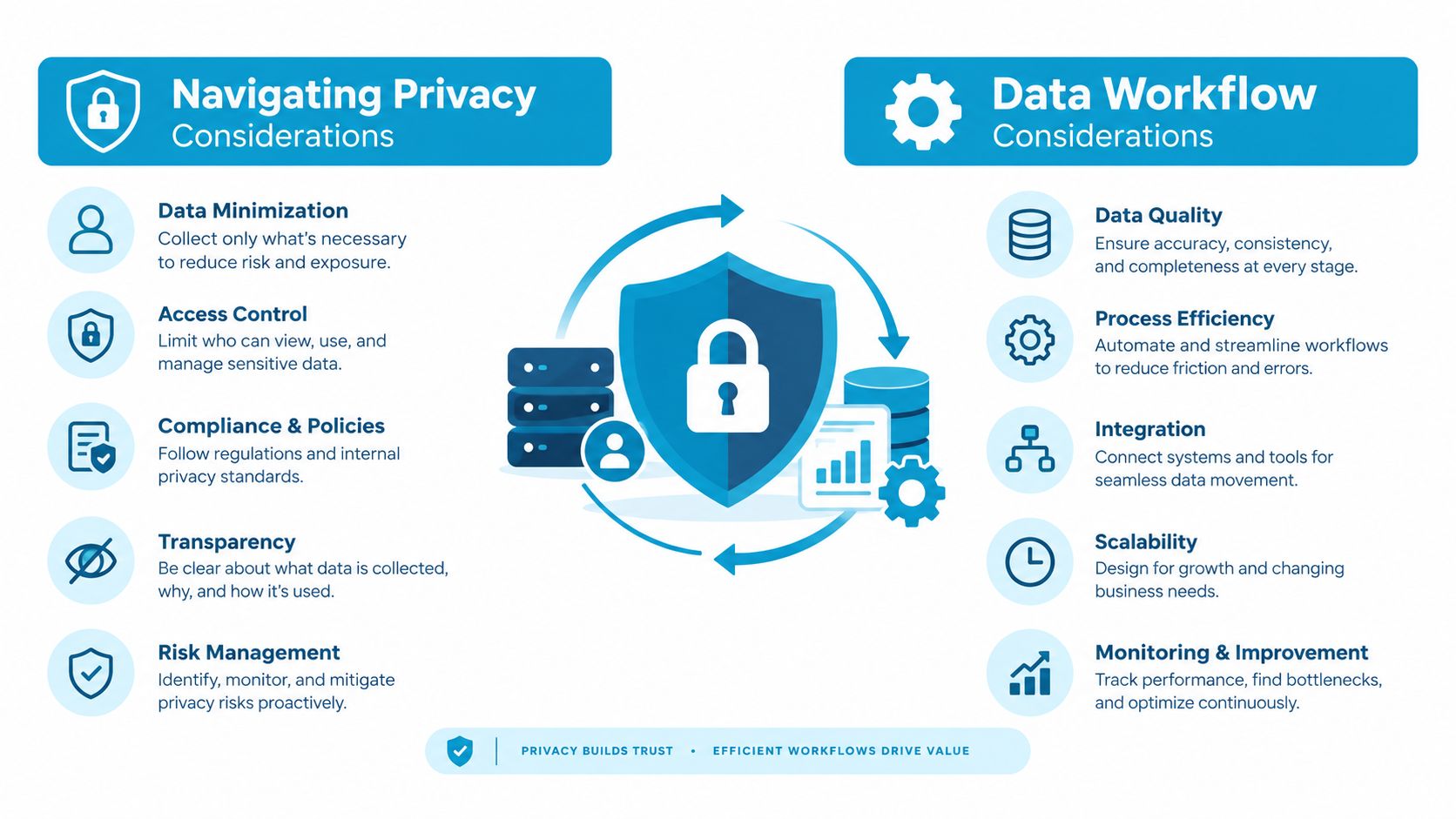
Navigating Privacy and Data Workflow Considerations
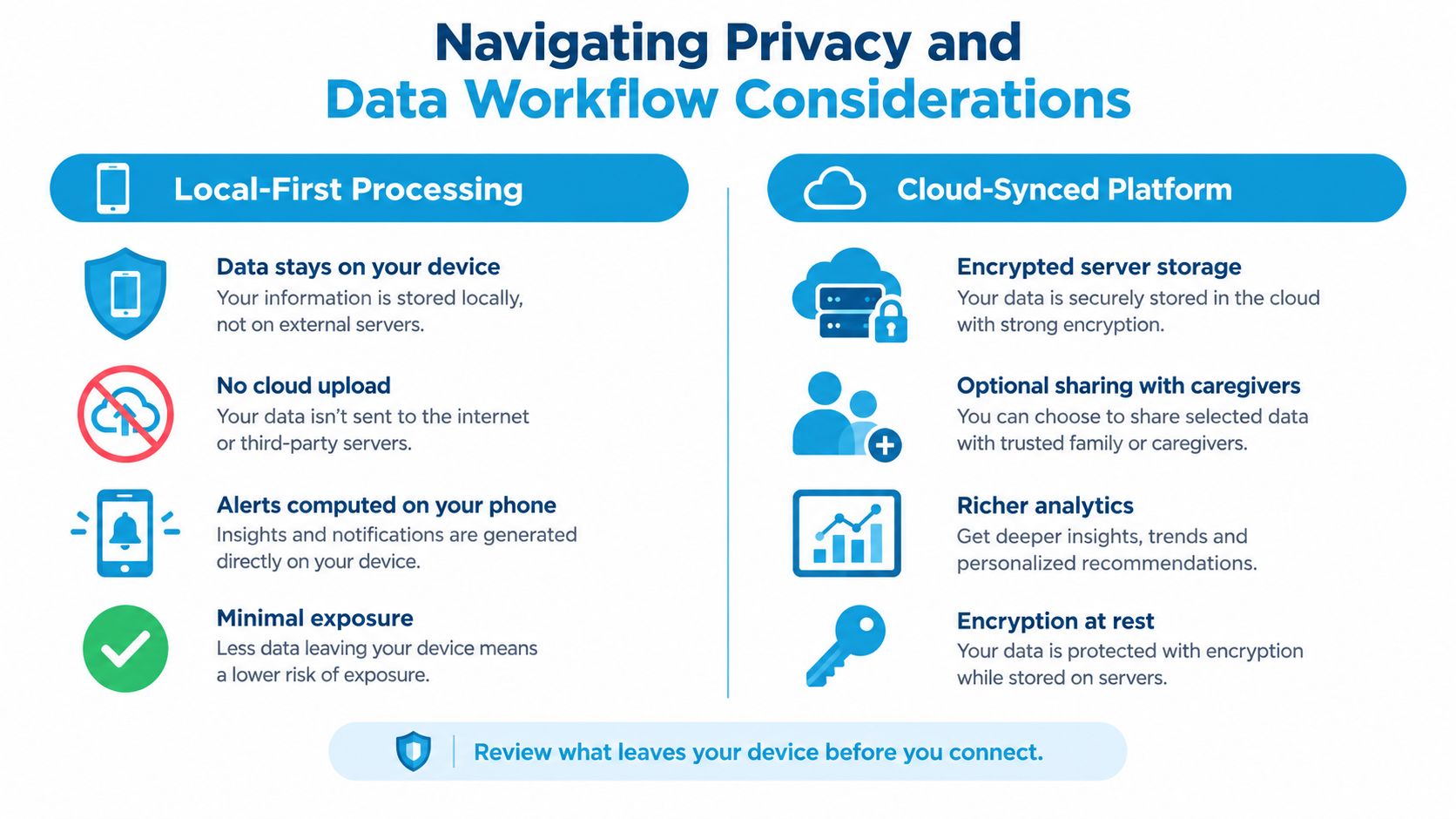
Health data deserves the same careful attention as the alerts themselves. Heart-rate history can reveal routines, sleep patterns, movement, and symptoms. If an app sends data to remote servers, the privacy policy should explain what the company collects, why it collects it, how long it keeps it, whether it shares it, and how users can delete it.
Independent reporting in 2026 highlighted that many wearables collect detailed heart-rate and movement data that may be stored in cloud-based systems, while users increasingly prioritize transparent privacy controls and on-device processing to reduce the risk of health data being sold or shared. The reporting on wearable health-data privacy makes the architecture question concrete for anyone choosing a monitoring app.
Local processing versus cloud workflows
Not every app uses the same data path. A local-first design can analyze readings on the phone and keep the information within the user's device and personal ecosystem. A cloud-synced design may support broader access, caregiver sharing, or more extensive analytics, but it also creates additional places where data is stored and managed.
Ask these questions before granting access:
- Where does analysis happen? On the device, on a remote server, or through a mixture of both?
- What leaves the device? The answer may include raw readings, summaries, symptoms, location, or identifiers.
- What permissions are requested? Read-only access is narrower than permission to write data back into a health record.
- Is account creation required? If so, understand what account information is retained.
- Can you delete your data? Look for a clear deletion process, not only a general privacy statement.
- Is sharing optional? Clinician reports and caregiver access should be controlled by the user.
A privacy-by-design workflow can provide useful monitoring without assuming that all health data must be uploaded for analysis. Read-only health access, on-device processing, and syncing limited to the user's personal ecosystem can reduce exposure. No architecture eliminates every risk, so users should still review permissions and policies carefully.
Privacy checkpoint: Before connecting a health app, identify the data it reads, the data it stores, and the people or services that can receive it.
More practical questions about permissions, storage, and control appear in this guide to health-data privacy. Privacy isn't a secondary feature for people managing a chronic condition. If the workflow feels opaque, distrust may lead the user to stop monitoring, which reduces the value of the record.
Choosing and Configuring a Purpose-Built Solution
The right setup starts with the clinical question. If you're investigating orthostatic tachycardia, a generic high-rate alarm may not be enough. You'll want a system that can detect a defined rise, account for movement, preserve the episode details, and make the result easy to review.
Cardiogram is one example of a purpose-built option. It analyzes heart-rate data from Apple Health, uses read-only HealthKit access, identifies tachycardic episodes, and organizes them into episode feeds, trends, symptom context, and exportable reports. The important point is the workflow, not the presence of a notification alone.
Configure the data connection first
Start by checking that the app can read the heart-rate data your watch already records. A read-only connection limits the app's ability to alter the underlying health record and can make the data flow easier to understand.
During setup, review:
- Health permissions, including exactly which categories the app can read.
- Notification permissions, so episode alerts can reach the phone when enabled.
- Workout handling, including whether workouts and recovery periods are excluded.
- History access, particularly whether older readings remain available for longitudinal review.
- Report settings, including the detection rule and the date range used for exports.
Don't choose a threshold just because it produces more alerts. A rule should reflect the question you're taking to your clinician. If an app allows customization, discuss the setting with a healthcare professional and observe whether ordinary walking or routine tasks generate repeated irrelevant notifications.
Test the workflow on an ordinary day
The first day should be a usability test, not a diagnostic conclusion. Check whether the episode feed records the start time, baseline, peak, and sustained duration in a way you can understand. Notice whether a symptom entry can be attached to the event without forcing you to reconstruct the day later.
A practical checklist includes:
- Episode clarity: Can you tell why the app counted the event?
- Context filtering: Are workouts and recovery treated separately?
- Symptom capture: Can you record dizziness, palpitations, fatigue, or brain fog?
- Trigger notes: Can you add information about sleep, hydration, salt, or medication?
- History: Can you review older heart-rate data rather than only the latest readings?
- Membership terms: Are the trial, renewal, cancellation, and regional pricing details clear?
The app should reduce manual work, not create another demanding health routine. A brief entry made during or shortly after symptoms is usually more useful than a detailed reconstruction several days later.
Preparing a Clinician-Ready Report for Your Appointment
A report earns its place in an appointment by answering the questions a clinician needs answered quickly. A page of heart-rate peaks without dates, context, or a stated detection rule may look precise while remaining difficult to interpret.
Start by selecting a date range that reflects the concern you want to discuss. Include enough variation to show ordinary and difficult days, but avoid exporting every available reading if the result becomes unwieldy.
Check the report before sending it
Review the document for four essentials:
- Detection rule: Confirm that the report states the heart-rate rise and time window used to identify episodes.
- Episode details: Look for dates, times, baseline, peak, and sustained duration.
- Trend summaries: Check whether resting-heart-rate patterns and episode frequency are visible.
- Context: Make sure relevant symptoms and triggers appear beside the associated events.
A heatmap or time-of-day summary can help a clinician see clustering without reading every individual measurement. A symptom tag can also prevent an important episode from looking like an unexplained number.
Add a short patient note
The report should support your account, not replace it. Before the appointment, write a concise note covering:
- What you felt during the most concerning episodes.
- Whether the episode followed standing, walking, bathing, eating, or another trigger.
- Whether you were exercising or recovering from exercise.
- Any relevant changes in medication, sleep, hydration, or daily routine.
- What you want the clinician to help clarify.
Bring the original device or app if your clinician wants to inspect the data source. Explain that wearable readings are estimates shaped by sensors and algorithms, not direct substitutes for clinical measurements. Reviews have warned that smartwatch metrics can vary because they depend on sensor signals, proprietary processing, and contextual assumptions, while false positives may lead to unnecessary testing or distress. The medical literature review on smartwatch measurement limitations is useful background for understanding why the report needs context.
Appointment question: “Which parts of this pattern are clinically useful, and what additional testing or monitoring would you recommend?”
A clinician may use the report to decide whether the pattern warrants further evaluation, whether other causes of tachycardia need to be excluded, or whether the current management plan should change. The report's value comes from making that conversation more focused.
Taking Control of Your Autonomic Health Data
A smartwatch can collect the raw material, but raw material isn't the same as usable health information. For POTS and dysautonomia, the meaningful record connects a heart-rate rise with posture, motion, duration, symptoms, and daily context.
A capable heart rate alert app should therefore do three things well. It should filter for clinically relevant episodes, protect data through a clear and restrained workflow, and produce summaries that a clinician can review without sorting through an unreadable stream of measurements.
You still need medical guidance for diagnosis, treatment, and urgent symptoms. Alerts can't explain every fast heart rate, and no app can rule out other causes on its own. But consistent longitudinal monitoring can give you clearer language, better questions, and stronger documentation when symptoms are difficult to describe from memory.
The most useful system is the one you can trust enough to keep using. Choose transparent detection rules, record context without creating unnecessary work, review privacy permissions, and bring concise reports to appointments. That turns passive wearable data into a practical tool for advocating for your health.
Cardiogram analyzes Apple Health heart-rate data to identify tachycardic episodes, filter exercise-related noise, connect symptoms with events, and prepare clinician-ready summaries. Visit Cardiogram to review its on-device, read-only monitoring workflow for POTS and dysautonomia.