If your watch already records your heart rate all day, why can it still leave you unsure whether a racing episode really happened? That's the gap many people overlook. Apple Health stores the readings well, but storage isn't the same as interpretation. An Apple Health heart rate app adds interpretation, while a clinician provides diagnosis. Knowing which job belongs to each keeps you from overreading one spike or ignoring a pattern that deserves attention.
What Apple Health Already Records About Your Heart
Think of Apple Health as a filing cabinet of raw readings. A dedicated app is the assistant who reads the folder and flags what matters.
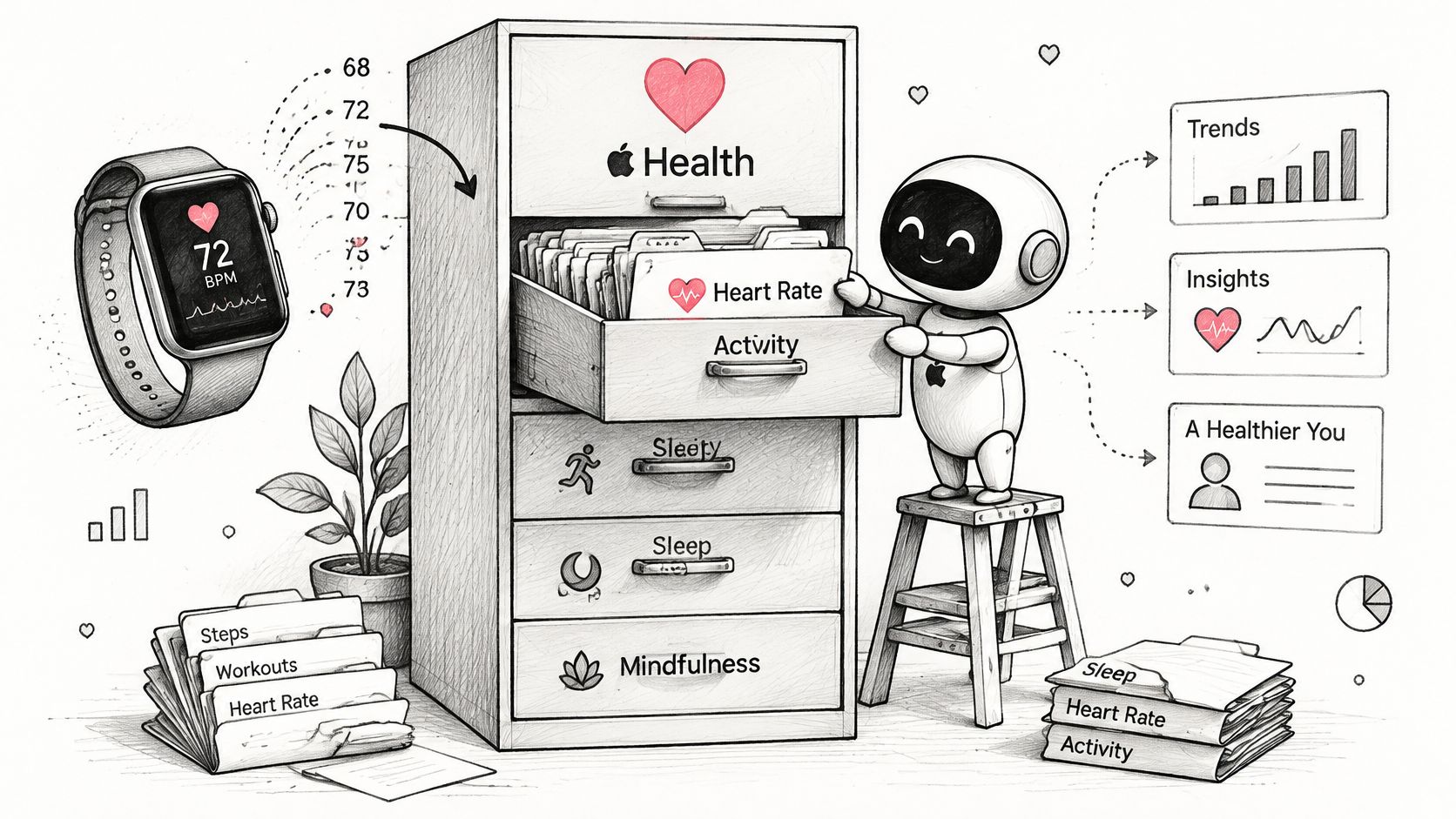
Your watch writes background heart-rate samples through the day. Each sample carries a time and, often, a motion label. According to Apple's HealthKit heart rate documentation, samples taken after at least 5 minutes of stillness can be labeled sedentary, while samples captured during movement can be labeled active.
Instant readings are not resting heart rate
An instantaneous heart rate is one sample at one moment. Resting heart rate is different. Apple estimates it from sedentary samples across the day and may replace an earlier estimate as more data improves the calculation. The lowest raw value you spot isn't automatically your resting value, and today's resting number can be revised later.
HealthKit may also condense samples, especially around workouts. That means timestamps, motion labels, and workout links matter. Without them, exercise tachycardia can look like an unexplained stand-up spike.
What you'll see on your phone
Open Health and tap Heart. You'll find:
- Heart Rate graph: Samples plotted by day, week, and month, useful for spotting when highs cluster.
- Resting Heart Rate trend: The slower-moving estimate that's better for comparing one week with the next.
- Heart-rate notifications: Alerts you set for high and low limits, helpful but not episode records.
Connecting Health to our app is step 1 of setup, one tap with read-only access. You need no new hardware and no manual logging to start.
Try a quick check now. Compare your resting trend across two weeks and note any gaps in the graph. Gaps tell you when the watch wasn't worn, charged, or getting good contact.
Native Health Views Compared With Dedicated Apps
| Feature | Apple Health app | Dedicated app (Cardiogram) |
|---|---|---|
| Episode detection | No automatic episode tagging; you scroll the graph | Automatic 30+ bpm rises within 5 minutes with baseline, peak and duration |
| Alerts | High and low heart-rate notifications at set limits | Real-time episode alerts on the phone |
| Symptom and trigger logging | Basic Health categories, not linked to heart-rate events | Dizziness, palpitations, fatigue, hydration, salt, sleep and medications linked to each episode |
| Workout and recovery filtering | Workouts sit alongside other samples | Workouts and recovery periods excluded from episode counts |
| Summaries and trends | Daily and resting trend graphs | Weekly summaries, resting trends and episode heatmaps |
The table shows a simple split. Health answers, "What did my heart rate do?" A dedicated app answers, "When did it rise sharply, how long did it stay up, and what was happening then?"
We watch your Apple Health heart rate and automatically detect rises of 30+ bpm within 5 minutes, logging the time, baseline and peak for you. That saves you scrolling a graph trying to remember if you felt dizzy at 9:10 or 10:40.
Context turns a spike into a story
Say your rate jumps after you stand up from the sofa. Health shows the jump. A linked log can add dizziness, palpitations, hydration, salt, sleep, and medications to that same moment. Over weeks, you can see whether episodes follow poor sleep, missed fluids, or a medication change, instead of guessing from memory.
A graph shows height. An episode feed shows height, starting point, duration, and symptoms together.
Patterns you can't see day by day
We provide weekly summaries, resting heart-rate trends and episode heatmaps. A heatmap might show episodes clustering on weekday mornings, even though each single day looked unremarkable. That's trend evidence you can discuss calmly, not proof of a condition by itself.
Filtering matters too. Workouts and recovery periods are excluded automatically from episode counts, so a run doesn't inflate your tally. In Health alone, you'd need to mentally subtract every workout.
Use this decision rule. If you only want daily and resting trends, the native view may be enough. If you need timed episodes, linked context, and a shareable summary, add a dedicated Apple Health heart rate app and keep Health as the data source.
How Accurate Apple Watch Heart Rate Readings Are
| Study or test | Result | Sample |
|---|---|---|
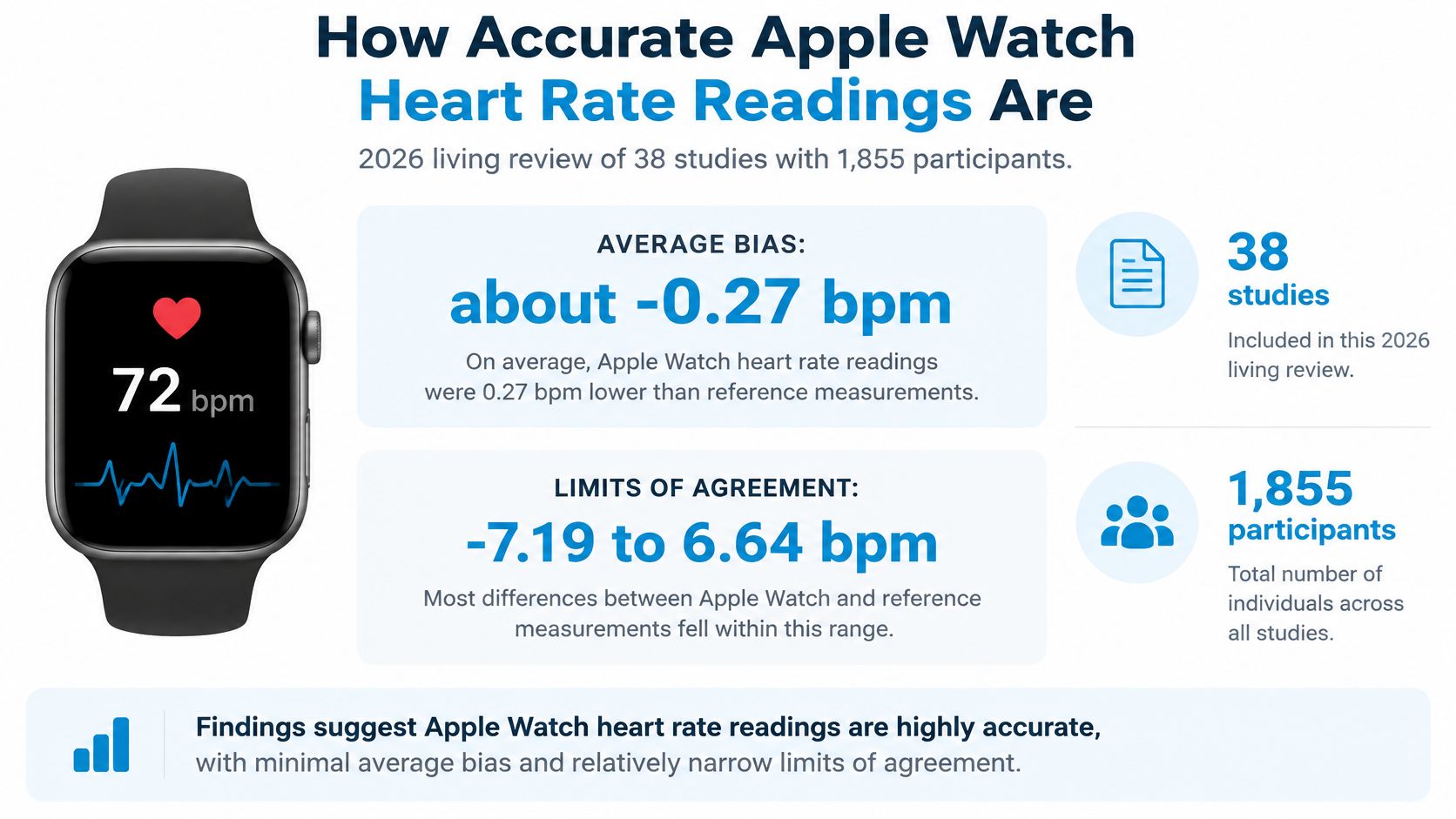
| 2026 living review, all measurements | Pooled mean bias -0.27 bpm, limits -7.19 to 6.64 bpm | 38 studies, 1,855 participants |
| 2025 living review, resting heart rate | Limits of agreement -8.14 to 8.56 bpm | 82 studies, 430,052 participants |
| 2024 prospective study, resting heart rate | Mean difference 0.08 bpm, mean absolute error 3.73 bpm | 39 healthy adults |
| Apple 2024 algorithm update, within 5 bpm | 89% of measurements, earlier algorithm 72% | 21,000 hours from 480 subjects |
| Apple 2024 algorithm update, within 10 bpm | 97% of measurements, earlier algorithm 85% | 21,000 hours from 480 subjects |
A 2026 living systematic review and meta-analysis in npj Digital Medicine combined 38 studies involving 1,855 participants and found a pooled mean bias of -0.27 bpm, with limits of agreement from -7.19 to 6.64 bpm.
Limits of agreement need plain language. The average error is tiny, under one beat. But an individual reading can still differ from a reference device by several beats. Both statements are true at once.
A 2024 prospective study indexed in PubMed of 39 healthy adults found resting readings differed by 0.08 bpm on average, with a mean absolute error of 3.73 bpm. Average closeness and per-reading wobble are different things.
Apple's own validation points the same way. In Apple's 2024 heart rate validation document, the updated algorithm reported 89% of measurements within 5 bpm and 97% within 10 bpm on 21,000 hours of daily-living data from 480 subjects, compared with 72% and 85% for the earlier algorithm.
What this means for an episode
A sustained 30 bpm rise is far larger than typical error, so it's worth logging and reviewing. A 3 bpm wobble in one reading isn't. That's why duration, baseline, and peak belong together, a point we expand in our guide to Apple Watch heart rate accuracy in daily use.
Consumer heart-rate data can be incomplete, delayed or inaccurate, particularly during movement or poor sensor contact. Agreement also weakens during irregular movement and with irregular rhythms.
Keep three habits. Wear the watch snugly above the wrist bone. Keep skin clean and dry under the sensor. Judge patterns across several days, not one reading.
The Rules Heart-Rate Apps Use to Flag an Episode
A single high number tells you very little. Rules add a starting point, a size of rise, and a time window.
| Rule | Rise needed | Time window | Status |
|---|---|---|---|
| Published adult POTS criterion | 30+ bpm upright | Within 10 minutes of standing | Needs posture, blood pressure and symptom history |
| Cardiogram detection rule | 30+ bpm | Within 5 minutes | Screening heuristic, not a standalone diagnosis |
| Cardiogram reference for ages 12-19 | 40+ bpm | Within 5 minutes | Reference point, not diagnostic criteria |
According to a consensus review on postural orthostatic tachycardia syndrome, the core adult criterion is a sustained heart-rate increase of at least 30 bpm within 10 minutes of assuming an upright posture, commonly with an upright heart rate of at least 120 bpm, without sustained orthostatic hypotension.
Diagnosis also requires compatible chronic symptoms and exclusion of other causes. Those include dehydration, anemia, hyperthyroidism, medications, pain, caffeine, alcohol, and exercise. Your watch can't rule any of those out.
Why the window causes confusion
Every rise rule answers two questions: how much, and how fast. The window is what separates the two. A short window favors steep climbs, the kind where your rate jumps within a minute or two of standing. A slower climb that reaches the same height at minute eight still happened, but it fits walking upstairs, stress or caffeine just as easily as an orthostatic response, so a narrower filter deliberately lets it pass.
That trade-off runs both ways. Missing a flag doesn't prove nothing happened, and getting a flag doesn't prove POTS. Apps that exclude workouts and recovery periods automatically remove the most common false alarms, which is why a flagged rise during a quiet moment deserves more attention than one mid-run.
Practical rule: Treat an app flag as a well-timestamped prompt for review, not as a verdict.
For each episode, note time, posture, symptoms, hydration, and recent medications. Those are the details a clinician will ask about, alongside blood pressure that heart-rate data alone can't provide. Confirmation belongs with standardized orthostatic vital signs or tilt-table testing, not with an app screen.
Log a Standing Heart-Rate Test Step by Step
Before you start, wear the watch snugly, confirm Health data is flowing to your app, and sit somewhere safe with a chair or bed close by. Our walkthrough of the standing heart rate test at home covers setup in more detail.
- Sit still for five minutes: Note your heart rate and the time, so your sedentary baseline is recorded while you're still.
- Stand up slowly and remain still: Don't walk around, because movement samples get labeled active and can distort the rise you're trying to measure.
- Watch the next 10 minutes: Note the peak and the minute your rate first rose by 30 bpm or more above baseline.
- Record symptoms as they happen: Add dizziness, palpitations, shortness of breath, or a near-faint feeling with the time each one starts.
- Log the context: Add posture, hydration, caffeine, alcohol, medications, and recent exercise, since these are the exclusions a clinician will ask about.
- Sit or lie down again: Wait until your rate returns near baseline, then note how long recovery took.
- Repeat on separate days: Run the test on two or three days at the same time of day and compare episodes rather than judging one result.
- Stop if you feel unwell: Sit down and seek care if you faint, feel chest pain, or the rise stays high with symptoms.
One test is a snapshot. Repeated tests under similar conditions give you a pattern that's far more useful to discuss.
Privacy and HealthKit Permissions Explained
"HealthKit is private" is true but incomplete. You still need to know who can read what, where copies go, and what you can undo.
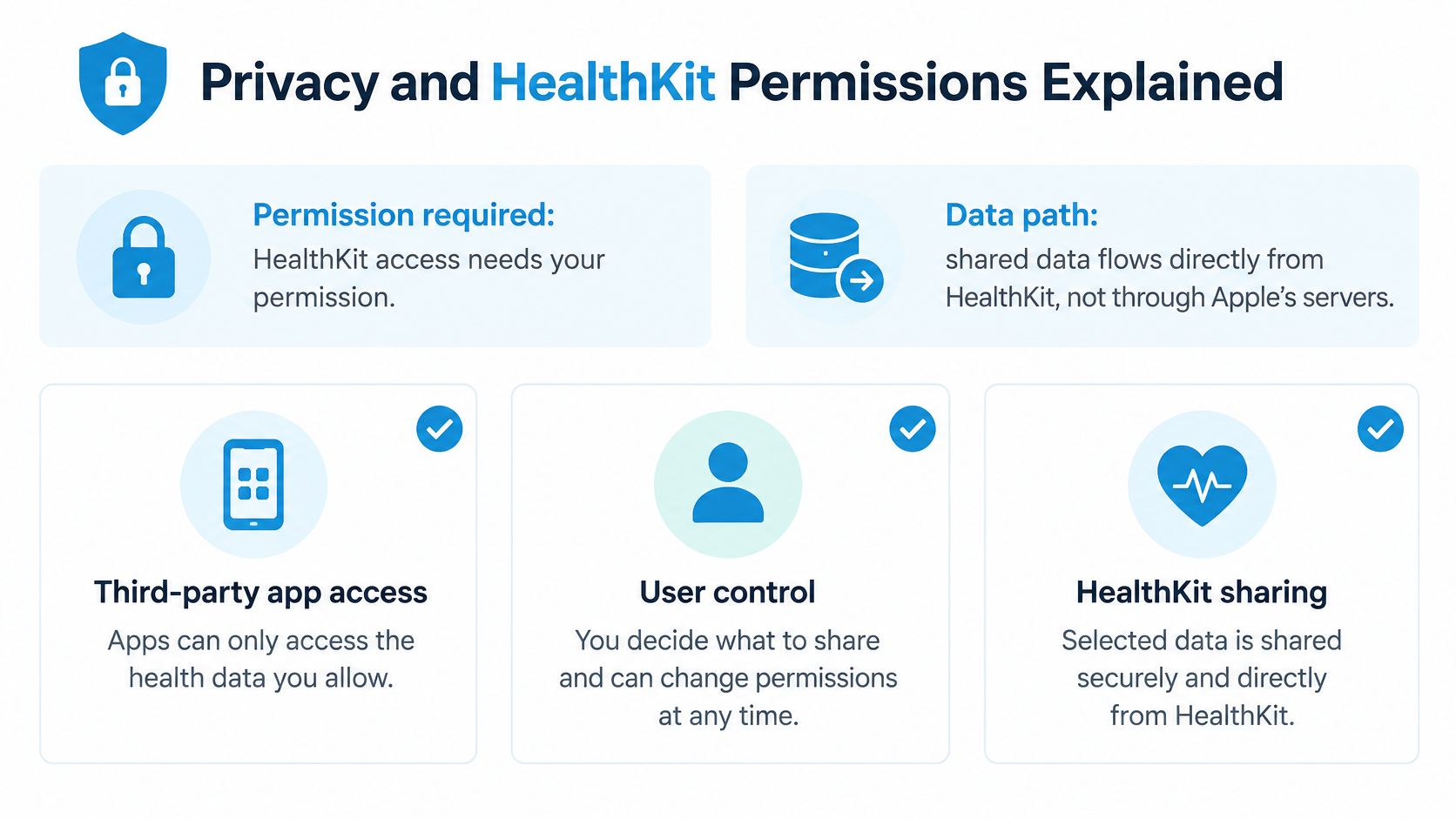
According to Apple's security guide for protecting access to health data, HealthKit access requires user permission, app access is controlled through privacy settings, and data shared with third-party apps flows directly from HealthKit rather than Apple's servers. Apple also restricts apps from using HealthKit data for advertising or data mining without permission.
On the device itself, health data becomes unavailable once the phone has been locked for a while, and it stays unavailable until you authenticate again. A locked phone means even an app you approved cannot read new samples during that window.
What read-only access means for you
Read permission works like a viewing window. An app can look at the categories you approve and nothing else, and it cannot change your Health records because writing is a separate grant you never have to give. We operate no servers and do not receive users' health data, the app has no account or password, and you can revoke Health access at any time in iOS Settings.
Revoking access stops future reading. It doesn't delete a PDF you already exported, emailed, or saved elsewhere. An exported report is a new copy under your control: convenient for appointments, and your responsibility to store safely. A clinician sees only the report you choose to share, not your full Health record, and that report shows heart-rate trends and logged episodes for them to interpret.
We explain these tradeoffs further in our overview of health data privacy and sharing choices.
A short permission checklist
- Check each permission: Open Settings, find Health access, and confirm only the categories you intended are on.
- Review sync settings: Decide whether iCloud sync fits how you want copies handled across your devices.
- Choose exports deliberately: Share the summary your clinician needs, not your entire history by default.
- Delete old PDFs: Remove exported reports you no longer need from downloads, email, and cloud folders.
Each export decision deserves the same care as the original grant, because a copy you send no longer sits under HealthKit's rules.
Choose Native Health or a Dedicated App
| Your situation | Best starting point | Why it fits |
|---|---|---|
| Curious about daily or resting heart rate | Apple Health app | Built-in graphs and notifications cover trends |
| Tracking racing heart or dizziness over weeks | Dedicated app with episode log | Detection, symptom linking and heatmaps show patterns |
| Preparing for a cardiology or autonomic appointment | Dedicated app PDF plus clinician review | Consolidated episodes with the stated detection rule |
| Gaps, irregular rhythm or unexplained readings | Clinician review and medical-grade testing | Consumer watch data can be incomplete or inaccurate |
| Chest pain, fainting or other emergency signs | Local emergency number, not an app | Heart-rate apps are not built for emergencies |
Start with your question, not with a subscription. The native Health view answers "what did my heart rate look like today and this month." A dedicated app answers "when did my heart rate jump, by how much, and what else was happening around it." Pro costs $39.99 per year in the US, about $3.33 per month, with local App Store pricing varying by region. Compare that with the free native view and with our free heart-rate rise calculator and guided NASA lean test, neither of which requires the app.
Be clear on boundaries. Our app is not a medical device, doesn't diagnose anything, and doesn't replace a doctor. It isn't designed to detect, diagnose or respond to medical emergencies, so call your local emergency number for chest pain, fainting, or severe symptoms.
Consumer watch readings can also arrive incomplete, delayed or inaccurate, particularly during movement or poor sensor contact. Missing samples can shift the apparent baseline, peak, or duration of an episode. Treat your graphs as trend evidence: good enough to reveal a pattern over weeks, not precise enough to serve as a standalone diagnostic measurement. Escalate to a clinician when rhythms look irregular, gaps go unexplained, or sustained tachycardia comes with symptoms.
Your next step is modest. Log three episodes this week with symptoms and context, then bring both the Health graph and the app report to your next appointment for clinician review.
If you're tracking racing episodes or dizziness on standing, we can turn your existing Apple Health readings into timed episodes with baseline, peak, duration, and linked symptoms, plus a clean summary for your clinician. Visit Cardiogram to connect Apple Health with read-only access and see your patterns from the watch you already wear.