You are halfway up the stairs and your heart is racing harder than the climb explains. You sit down, it eases, and later your watch shows a jagged graph with a high point you can't quite explain. You remember feeling dizzy, but not when it started, how long it lasted, or whether it has happened this way before. That gap between a frightening moment and a clear record is where a heart rate analysis app can help, not by naming a condition, but by organizing what your watch already recorded.
What a Heart Rate Analysis App Does for You
A watch may show many readings without making their pattern easy to see. A heart rate analysis app organizes those readings into episodes, marks when each began, and lets you review changes over time. This can make a personal record easier to discuss than a graph filled with separate points.
A high reading has many possible explanations. You might have been climbing stairs, recovering from a walk, feeling anxious, dehydrated, or standing after lying down. An episode record can preserve the baseline, the peak, how long your rate stayed high, and what you felt at the time. Those details add context, though they cannot establish what caused the change.
Why Watch Data Needs Careful Handling
Wearable heart-rate analysis gained regulatory recognition in September 2018, when the U.S. Food and Drug Administration cleared two Apple Watch software functions: an irregular-rhythm notification for rhythms potentially consistent with atrial fibrillation (AF), and a single-lead electrocardiogram (ECG). The history and evidence are described in an account of those FDA clearances and later watch evidence.
The same evidence shows why an alert needs context. In the Apple Heart Study, 34% of participants who received an irregular-pulse notification were later found to have AF, and the positive predictive value among notified participants was 0.84 (the study account and findings). In a comparison with telemetry, the overall correlation was 0.70, about 0.86 during AF and 0.64 without AF (the telemetry comparison). These results describe groups and comparisons. They do not show that a particular alert means you have AF.
Repeated readings can offer a clinically useful longitudinal signal, especially when a pattern appears over weeks. Yet a single reading may be inaccurate, and gaps in recording can leave out what happened between samples. An alert is a prompt to consider the record and seek appropriate medical advice, not a diagnosis.
A useful app makes uncertainty visible. It shows the timing and pattern while leaving room for missing readings and context.
What You Get in Practice
- Episode records: A start time, baseline, peak, and duration, rather than one isolated number.
- Trends over time: Resting patterns and recurring times of day that can be hard to spot in a daily graph.
- Symptom context: Notes about dizziness, palpitations, or fatigue connected with the time they occurred.
- A shareable summary: A concise record to bring to an appointment, instead of scrolling through your phone.
The app works like a careful notebook, not a doctor in your pocket. It can help you notice repetition and prepare questions for a clinician. It cannot diagnose POTS, identify every rhythm problem, or replace medical evaluation. Its value is in organizing recorded evidence and making its limits easier to see, so a clinician can judge what the record supports and what remains uncertain.
How Raw Heartbeats Become Trackable Episodes
Your watch doesn't record one smooth, unbroken line all day. It collects heart-rate samples over time, sometimes frequently and sometimes with gaps. A heart rate analysis app reads those samples from Apple Health, applies a stated rule, and groups matching samples into an event.
A rain gauge analogy helps here. Rain itself is continuous, but you describe a storm by when it started, how hard it peaked, and how long it lasted. An episode record does the same for heart rate. It doesn't just say your rate was high. It describes the shape of the rise.
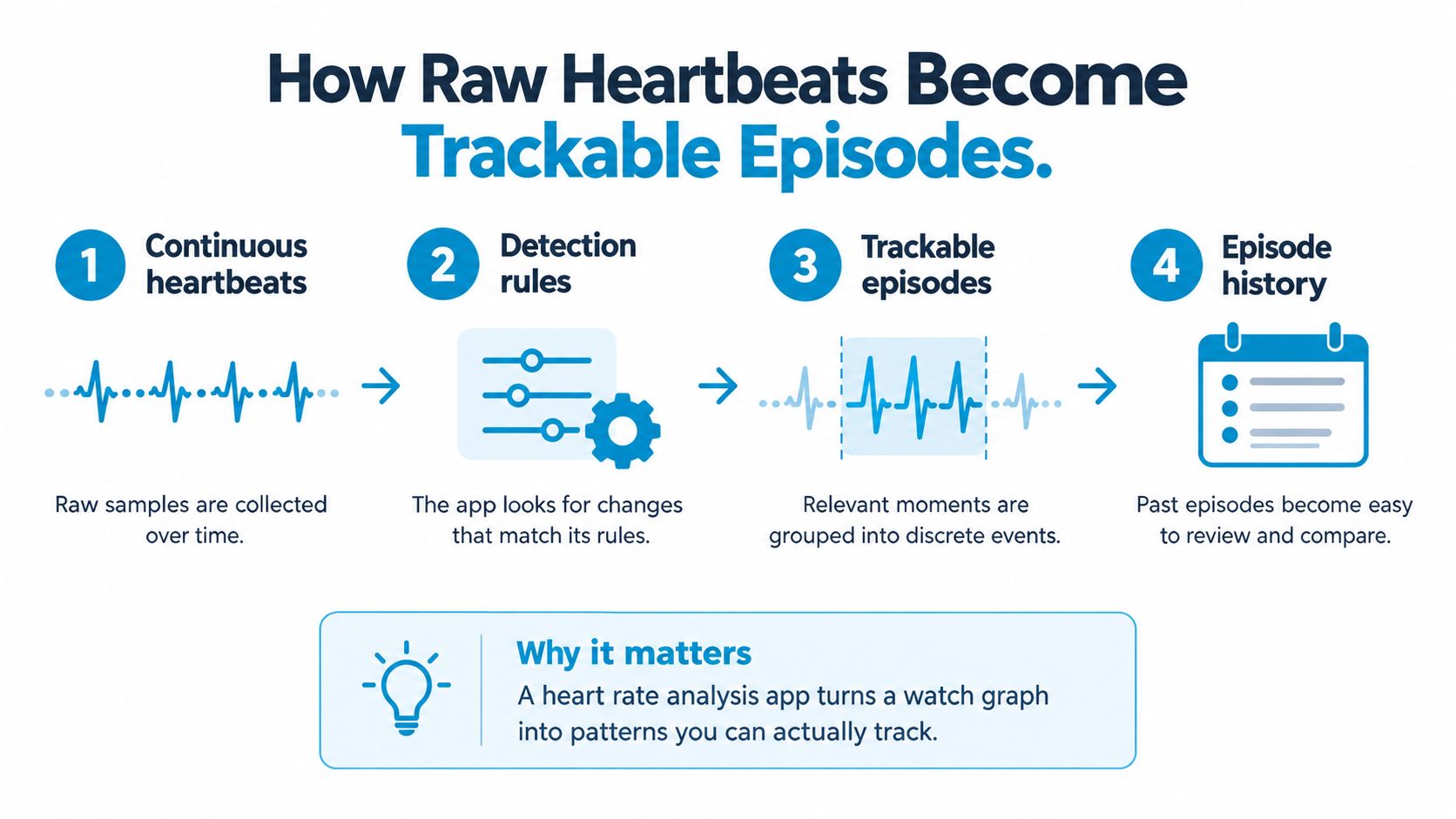
The Four Steps Behind an Episode
- Collect the samples: The app reads existing heart-rate data with its original timestamps.
- Establish a baseline: It looks at your rate before the rise, because a jump only makes sense relative to where you started.
- Apply a detection rule: For example, it may flag a rise of 30 bpm within 5 minutes as a screening observation.
- Record the event: It saves the baseline, peak, time to peak, and how long the rate remained high.
That last step is where a brief spike and a sustained response part ways. A two-minute jump while you hurry for a bus isn't the same kind of record as a rise that begins after you stand and stays up. Duration is part of the evidence, not decoration.
Consensus criteria generally define adult POTS as a sustained heart-rate increase of at least 30 beats per minute within 10 minutes of standing or head-up tilt, without orthostatic hypotension, with an adolescent threshold typically of 40 bpm, as set out in the consensus description of POTS criteria. A 5-minute app rule can therefore work as an early prompt to look closer. It isn't equivalent to that assessment, which also involves posture, symptoms, blood pressure, and ruling out causes such as dehydration, anemia, thyroid disease, medication effects, pain, anxiety, or exercise.
How to Read an Episode Entry
When you open an episode, check four fields first. Baseline tells you where you started. Peak tells you how high it went. Time to peak tells you how quickly it rose. Duration tells you whether it settled quickly or remained high.
Then ask what the record doesn't know. Were you standing, walking, or recovering from exercise? Did you feel dizzy? Was the watch worn snugly? If you're learning the vocabulary, this plain-language guide to episodes of tachycardia and how they're described can help you separate a fast rate from a named cause.
Practical rule: Read an episode as a well-labeled clue. It's strongest when the timing, duration, and your symptoms all line up.
That mindset protects you from two common mistakes. You won't panic over every flagged rise, and you won't dismiss a repeating pattern just because no single reading looks dramatic.
Features Worth Evaluating Before You Download
Suppose an app flags a rise in your heart rate, but the watch missed several minutes beforehand. The alert may be accurate about the samples it captured, yet the gap makes the episode harder to interpret. A responsible heart rate analysis app makes those limits visible. Check whether it explains its detection rule, data access, exclusions, and gaps in coverage.
Start with the rule itself. “Smart alerts” could mean a brief spike, a sustained rise, or a rate above a set limit. Look for a clear description of the rise, time window, and duration the app uses. Episodes should be presented as screening observations, not diagnoses.
A Checklist You Can Use in Ten Minutes
| Feature | What to Check | Why It Matters |
|---|---|---|
| Detection rule | Is the rise, time window, and duration stated? | You can judge whether an episode matches the pattern you care about |
| Privacy design | Is analysis on-device, with read-only HealthKit access? | Your health data stays under your control and isn't written back or shared casually |
| Workout filtering | Are exercise and recovery excluded or clearly marked? | Normal exertion doesn't inflate your episode count |
| Symptom logging | Can you add dizziness, hydration, sleep, salt, and medications? | Context helps separate a worrying pattern from an explained rise |
| Data completeness | Does the app flag gaps or thin coverage? | You can see when the watch wasn't recording well |
| Clinician report | Does it state the rule and summarize trends and symptoms? | Your clinician can assess the evidence instead of trusting a label |
Privacy takes more than a quick glance. Apple's HealthKit developer guidelines describe permissions for health data and restrictions on sharing it with third parties. Check whether analysis happens on your device, whether syncing stays within your account, and whether the app requests access only to the data types it needs.
Workout handling matters too. Exercise can cause a normal rise in heart rate, so an app that counts every training session as an episode may obscure other patterns. This explanation of false positive reduction in heart-rate episode detection describes why filtering affects the usefulness of an episode history.
Why Completeness Indicators Matter
A reference-based study found statistically significant accuracy differences in wrist-worn heart-rate readings across workout and daily-living protocols, using measures including mean absolute error and root-mean-square error (the Apple Watch heart-rate accuracy study). Average accuracy cannot guarantee that every sample is dependable. Motion, a loose fit, poor skin contact, charging breaks, and sparse background sampling can distort a baseline or make an episode's start less clear.
Look for an app that marks episodes with inadequate coverage rather than filling gaps without notice. Choose one that shows how it reached a result, keeps relevant context, and acknowledges weak evidence, even if it produces fewer alerts. A visible gap is useful information: it helps you and your clinician judge what the record supports and what remains uncertain.
Using Episode History for POTS and Dysautonomia
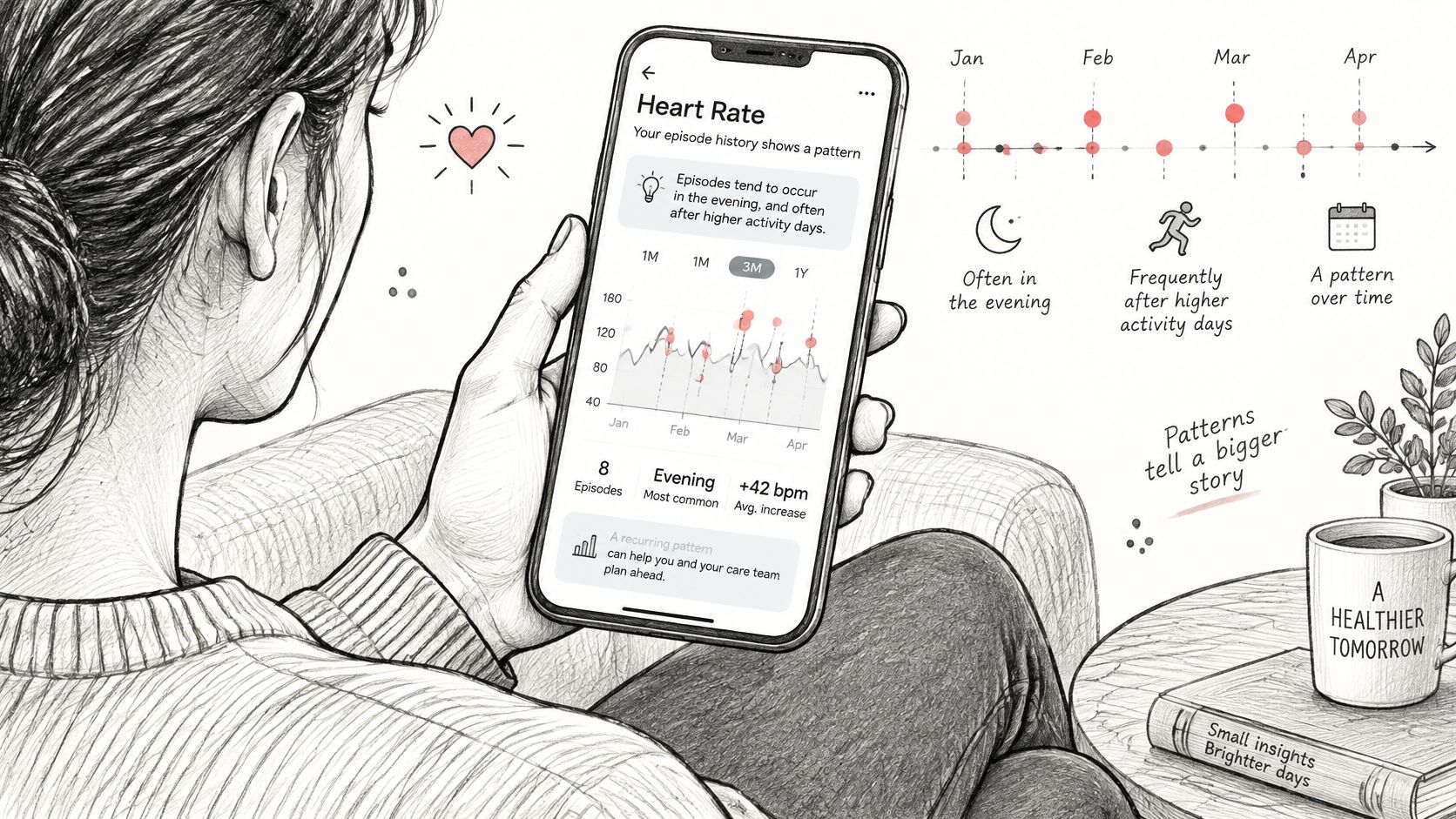
After a near-fainting spell in the kitchen, you may remember the worst moment and forget several milder episodes that followed poor sleep. A history of heart-rate episodes works like a diary with timestamps: it can help you see recurring details that memory blurs. The record is still only as complete as the watch data and notes you have.
Suppose your history shows repeated rises after getting out of bed. Those entries become more useful when paired with context: one followed a short night, another came after drinking little water, and a third occurred with brain fog and palpitations. A similar rise during a walk brought no symptoms. That difference is worth recording, even if it does not explain the cause.
Patterns Worth Noticing Over Weeks
- Time of day: Do episodes cluster after waking, meals, or long periods of standing?
- Symptom pairing: Do dizziness, fatigue, brain fog, or palpitations accompany some rises but not others?
- Everyday conditions: What were your sleep, hydration, salt intake, and medication timing like?
- Recovery shape: Does your rate settle when you sit or lie down, or stay high?
These observations help you ask more specific questions. For example: “Why do these rises keep appearing when I stand after poor sleep, and what should we check next?” A repeated pattern can guide a conversation, but a heart-rate alert cannot diagnose POTS or dysautonomia.
Population estimates also need context. A 2025 systematic review and meta-analysis pooled 15 studies with 1,058 participants and reported an overall POTS prevalence estimate of 36.2%, with a wide 95% confidence interval of 18.6% to 53.8% and substantial heterogeneity of I² = 98.18%, as reported in the systematic review of POTS prevalence estimates. That estimate does not mean more than a third of everyone has POTS. It describes the people included in those studies. For example, a clinic-referred group with fainting histories may differ from a general primary-care sample, so who gets studied can shift the estimate.
Your episode history describes your own symptoms and circumstances, which may help a clinician decide what to assess. Diagnosis may require orthostatic vital signs or tilt testing, blood-pressure assessment, and consideration of other possible causes. Bring a timeline detailed enough to guide the next step, and note where the watch record has gaps or uncertainty.
Setting Up and Reading Your First Results
A symptom at 10 a.m. with no app alert can be unsettling. Before drawing conclusions, check whether the watch was recording then. Setup and early review are about learning what the record can show, and where its gaps are.
A Calm First-Week Routine
- Review permissions: Give the app read-only access to the heart-rate data it needs. Skip unrelated permissions, and check what information will be shared.
- Wear the watch consistently: Keep it snug enough for good skin contact. If possible, charge it at a predictable time.
- Let existing data load: The first view may include heart-rate history already collected by your watch.
- Record symptoms briefly: Note dizziness, palpitations, fatigue, posture, hydration, sleep, or medication near the time they occur.
- Review after several days: Repeated patterns are more informative than a single flagged event.
Treat the first week as a baseline. It shows your usual pattern and how complete the watch data is. Some days will have more readings because you wore the watch throughout the day. Charging, a loose strap, or time without the watch can leave gaps.
A quiet day needs context. No episode detected doesn't prove that nothing happened. Sampling frequency, battery gaps, movement, posture changes, and poor skin contact can all affect what gets recorded. If you felt unwell and the app shows nothing, your symptom note still matters. It may point to a gap that is useful to mention to your clinician.
"I felt symptomatic but nothing was flagged" is useful information. Write it down rather than assuming you imagined it.
Research also reflects the importance of choice and control. A 2025 Apple Health research initiative is using phones, watches, and other devices to investigate whether technology can predict, detect, monitor, and manage health changes. Participants can choose which data types to share and withdraw, as described in the announcement of the Apple Health research study. Apply the same care to your own monitoring: decide what you share, and keep track of what the record cannot show.
How to Read One Flagged Episode
Look beyond the alert itself. Check whether the record covers the time of your symptoms, and whether a gap or limited watch contact could explain missing readings. If a completeness warning appears on the same day as a symptom, note the gap beside the symptom so your clinician can see both.
Then consider the episode alongside neighboring days. A rise after rushing upstairs may be different from similar rises that repeatedly occur after standing and coincide with symptoms. An alert is a prompt to review the record, not a diagnosis. Patterns become easier to judge over weeks than from one dramatic afternoon.
Sharing Clean Reports With Your Clinician
At an appointment, a long stream of heart-rate readings can be like a box of unsorted papers: there may be useful clues, but they are hard to connect. A concise report makes the pattern easier to review alongside your symptoms and examination. It should help your clinician ask better questions, not try to answer them on its own.
Include the rule used to select episodes, along with baseline, peak, duration, symptom notes, weekly trends, and whether workouts or recovery periods were excluded. Keep the explanation plain enough that you can describe how an entry was produced. Each entry should be labeled as a screening observation, so no line reads as a confirmed diagnosis.
What Makes a Report Credible
- Symptom timing: Place notes beside episodes so both matches and mismatches are easy to see.
- Trend views: Weekly patterns and resting trends give context to an isolated episode.
- Honest limits: Make clear that wrist heart-rate readings do not identify a heart rhythm the way an ECG can.
- Exclusion log: List the workouts and recovery periods removed, with their dates, so your clinician can check what the filter left out.
The evidence deserves careful wording, too. A 2025 systematic review found that clinicians were generally positive about patient-generated data, while raising concerns about reliability and data security (the systematic review of clinician views on patient-generated data). That does not mean every report will be complete or useful in every setting. Showing what was measured, what might be missing, and what remains uncertain gives your clinician a clearer basis for discussion.
If your app lets you tailor the output, this guide to customizing reports for clinical appointments can help you choose a date range and level of detail that fit the visit. A short summary with representative episodes may be easier to discuss than an exhaustive record.
How to Introduce It
You might say: “I've been tracking episodes because I couldn't describe the pattern from memory. This report uses a stated heart-rate rule and includes my symptoms, but I know it isn't a diagnosis. Could we discuss whether these records suggest orthostatic testing or other checks?”
That opening shares your reason for tracking and leaves room for clinical judgment. Your clinician may want orthostatic vital signs, blood-pressure measurements, a medication review, blood tests, or rhythm assessment. Those next steps do not mean the report failed. Its purpose is to make your experience easier to examine, while keeping the limits of the data visible.
Choosing the Right App and Taking the Next Step
A watch can record a rise in heart rate, but it cannot always show why it happened. For a daily resting number, a simple graph may be enough. If you are documenting episodes for a POTS or dysautonomia evaluation, look for an app that explains how it identifies events and makes missing or uncertain data visible.
Before downloading, rank what matters for your situation: a stated detection rule, workout labeling, symptom logging, privacy controls, warnings about incomplete records, and a report that is easy to read. Check the membership terms too. Confirm what the trial includes, what happens after it ends, and whether access to history or exports depends on a subscription tier.
Matching Features to Your Situation
- You feel symptoms on standing: Look for heart-rate rise and duration records, plus ways to note posture and symptoms.
- You exercise regularly: Check whether workouts and recovery are excluded or clearly labeled.
- You worry about privacy: Review whether analysis happens on device, permissions are read-only, and syncing stays within your account.
- You have an appointment coming up: Look for a dated PDF that states the detection rule and makes trends and gaps clear.
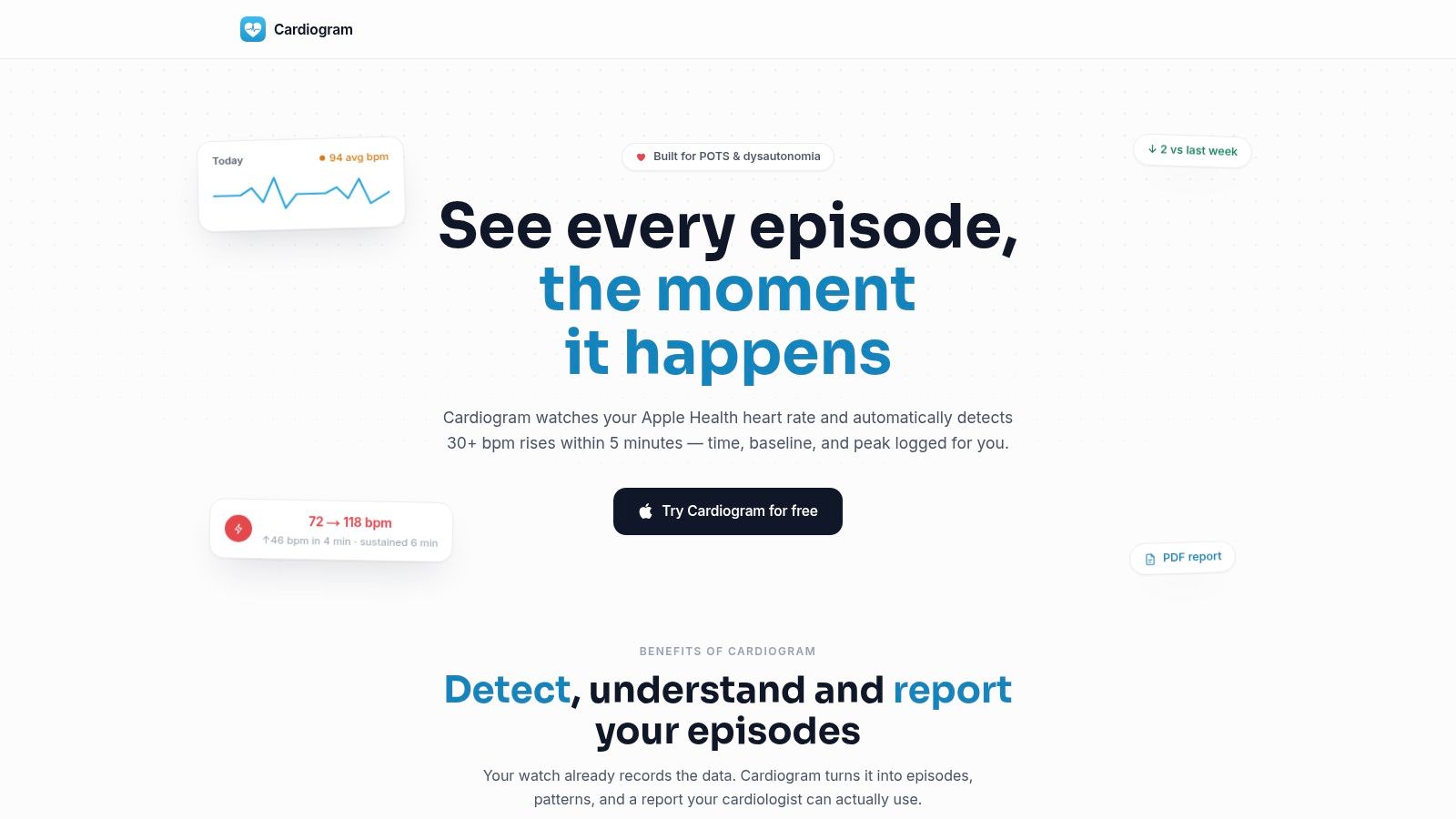
Cardiogram reads Apple Health heart-rate data and records each episode with its baseline, peak, and duration. Its exportable PDF cites the detection criterion used. For other setup and detection details, see the earlier sections on app features and first results. Its analysis happens on device, with iCloud sync and read-only Apple Health access. The app offers a 3-day free trial with an annual plan; App Store pricing varies by region.
Ask whether the app shows the evidence behind each alert. A higher alert count with weaker evidence is not more useful. Watch readings can be helpful, but gaps, movement, and imperfect measurements may affect what an episode record can support. An alert is a prompt to review a pattern, not a diagnosis.
Before starting a trial, write down the main question you hope to discuss with your clinician. Then use the report to see whether the available record can help address it, and note what remains uncertain. A gap may reflect missing watch data rather than a change in your health.
At your appointment, ask what would make the record stronger. Your clinician may suggest posture testing, blood-pressure checks, or a longer tracking period. Dates, durations, and symptom notes can make the conversation more specific, while clinical judgment determines what the pattern means and what to test next.
Start a free trial with Cardiogram to organize existing Apple Watch heart-rate data into episode records, with symptoms, gaps, and trends shown. Its concise PDF states the detection rule used, giving you a clear starting point for discussing what the pattern can support and what remains uncertain.