Is the best smartwatch for heart rate the one with the strongest accuracy headline, or the one that reliably captures what happens when you stand up, exercise, or feel your heart racing?
Those aren't the same buying decision. Choose for the situation you need to record, then check whether the watch produces useful readings in that situation. A reassuring resting average won't tell you whether a device can capture a brief standing episode or keep pace during hard training.
Quick Picks for the Best Heart-Rate Smartwatch
Choose a watch based on where you need dependable readings. The picks below compare device categories and named examples, not guaranteed performance across every model in a product line.
| Watch | Evidence in research | Apple Health sync | Best fit |
|---|---|---|---|
| Apple Watch | Clinical-reference validation supports longitudinal heart-rate tracking. | Native integration | iPhone users who want passive heart-rate history |
| Samsung Galaxy Watch | Comparative exercise testing includes wrist-based smartwatch readings; exercise remains a demanding use case. | Check compatibility and export options for your setup | Android users who want exercise records |
| Garmin Forerunner series | Exercise validation includes GPS training watches; results for a watch category do not establish performance for every model. | Verify the exact export route | Runners and cyclists who organize training around their watch |
| Fitbit Charge series | Heart-rate trends have been evaluated, but check evidence for the specific model you are considering. | Verify whether a separate connector is required | Everyday activity and sleep tracking |
| ECG chest strap | Provides a useful comparison during exercise when wrist readings are in doubt. | Depends on the recording app | High-intensity comparison sessions |
My default recommendation is an ecosystem-native watch for everyday tracking and an ECG chest strap for demanding exercise comparisons. If you use an iPhone and want readings in Apple Health, start with an Apple Watch. Android users should prioritize phone compatibility and accessible historical records.
The research supports comparisons across device types, not a blanket accuracy ranking for every current model. Match the evidence to your intended use, then check the exact device's compatibility and recording options.
Make the simplest useful purchase
A premium training watch is excessive if you only need resting heart-rate history. For intense workouts, choose a setup that lets you compare wrist readings with a chest strap.
Buying rule: Match the watch to your phone and recording needs. Add a chest strap when you need an independent exercise comparison.
For symptom tracking, prioritize whether the device records the relevant period. A graph cannot help if it misses the episode.
How Accurate Heart-Rate Readings Are and Where They Break Down
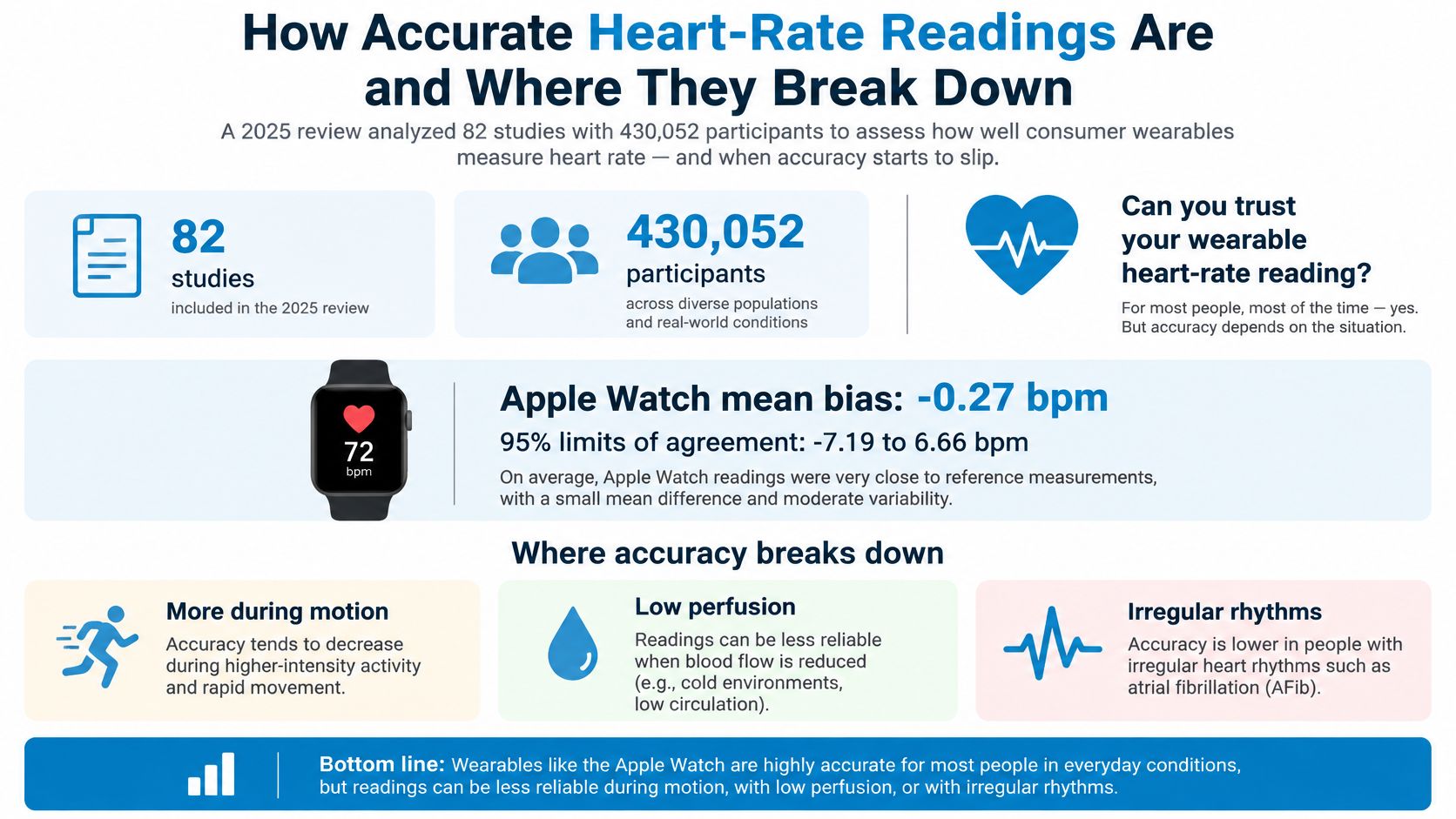
Across the evaluated watches, the 2025 living systematic review and meta-analysis, synthesizing 82 studies involving 430,052 participants, reported a mean bias of -0.27 bpm and 95% limits of agreement from -7.19 to +6.64 bpm.
That near-zero average can hide larger differences in individual readings. As a hypothetical illustration, a displayed 110 bpm could be compatible with a reference measurement around 103 to 117 bpm under that pooled agreement range. This isn't a personalized confidence interval or a guarantee about your next reading.
Mean bias describes the average difference across measurements. Positive and negative errors can offset each other, so a near-zero average doesn't mean every reading closely matches the reference.
Rest, movement and maximal effort are different tests
At rest, use readings to establish your usual pattern. Don't treat a slight change as meaningful on its own. During a standing episode, separate the movement of getting upright from the readings that follow while you remain still.
In comparative endurance and resistance exercise testing, the strongest-performing watch highlighted in the study had a mean bias of -0.97 bpm, with limits of agreement from -7.41 to +5.48 bpm. That's useful evidence for exercise trends, not proof that a watch matches an ECG reference in every moment.
Peak effort is less reliable. An American College of Cardiology journal scan reported average differences from ECG of 13.8 bpm in sinus rhythm and 28.7 bpm in atrial fibrillation at peak exercise.
Heart-rate error by situation
| Situation | Reported error | What it means for you |
|---|---|---|
| General use | Near-zero pooled mean bias, but a wider individual agreement range | Don't interpret an isolated value as exact |
| Resting heart rate | Small average bias with individual discrepancies | Compare repeated resting observations |
| Exercise in the highlighted watch | Small average underestimation with wider individual limits | Useful for workout direction, not beat-to-beat detail |
| Peak exercise with sinus rhythm | Larger average difference from ECG | Check questionable maximal-effort readings independently |
| Peak exercise with atrial fibrillation | Greater discrepancy in the assessed group | Don't infer rhythm or safety from the pulse number |
The infographic illustrates the gap between average accuracy and uncertainty in an individual reading. Use the cited results above to interpret the agreement limits.
Judge episodes, not isolated peaks
For a standing episode, look for repeated high samples and sustained duration, not the highest dot. Exercise results don't establish accuracy during an orthostatic episode, and readings taken while moving need extra scrutiny.
Knowing how heart-rate monitors work helps explain why movement and sensor contact affect readings. If workout results look questionable, record a session with both the watch and an ECG chest strap. Compare the rise, sustained effort and recovery, not just the maximum.
Apple Watch Against Samsung, Garmin and Fitbit
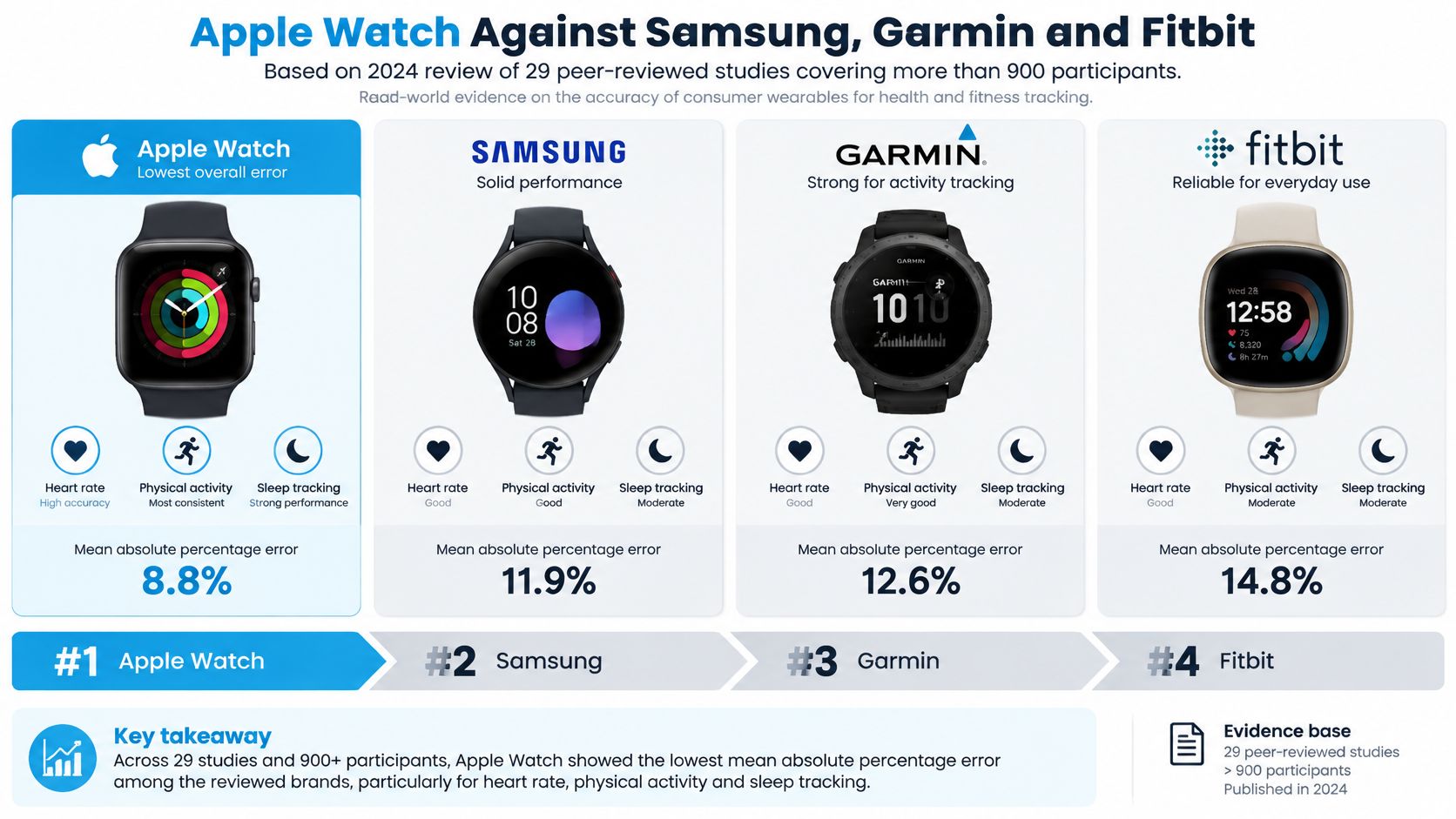
The favorable evidence isn't evenly distributed across brands. A 2024 systematic review of smartwatch accuracy, covering 29 peer-reviewed studies and more than 900 participants, found the lowest mean absolute percentage error in the iPhone-native watch family, particularly during moderate-intensity activity.
That's a sensible reason to put that category first for compatible buyers. It isn't a reason to dismiss every alternative, especially when phone compatibility or training workflow would make another watch easier to wear and use consistently.
A separate meta-analysis of clinical-reference comparisons also reported stronger agreement for that watch family than several other wearable brands in the included comparisons. The important qualification is included comparisons: a pooled brand finding doesn't test every current device against every rival.
Give alternatives a fair hearing
The Android-focused, training-focused and everyday fitness watches evaluated in comparative exercise protocols all supplied useful trend information. Don't confuse a less favorable comparative result with a device being useless.
For an Android user, an incompatible watch isn't the best purchase regardless of its validation record. For a runner, accessible workout records and the ability to compare against an independent sensor may be more valuable than choosing the brand with the strongest pooled result.
Brand evidence tells you which devices have been measured most favorably. It doesn't tell you which watch will record your own heart-rate changes best.
Read the study like a buyer
Check the model, participants, activity and reference method. A treadmill protocol in healthy participants doesn't answer the same question as hospital monitoring in patients with an irregular rhythm.
Also distinguish the tested device from the watch currently on sale. Hardware and firmware can change, and a familiar brand name doesn't prove that a newer model performs identically.
My recommendation is straightforward: give the strongest validation record priority for resting and moderate-activity tracking, but require situation-specific evidence before extending that confidence to maximal exercise or symptomatic standing episodes. Buy the exact model you can justify, not a brand reputation alone.
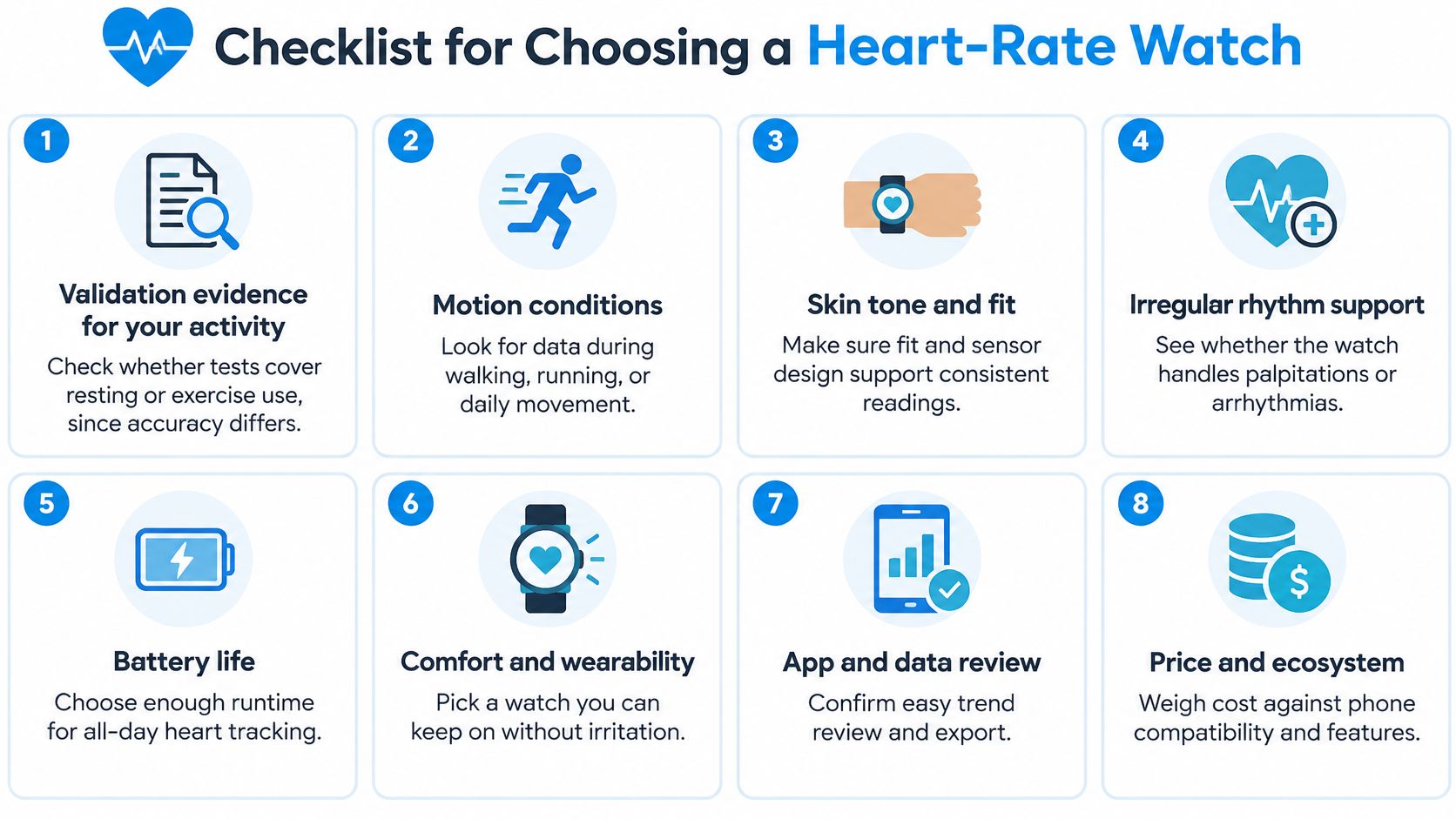
Checklist for Choosing a Heart-Rate Watch
Choose your requirements before comparing discounts. The best smartwatch for heart rate should meet your recording needs without forcing you into a workflow you'll abandon.
Check the recording essentials
- Validation evidence for your activity. Look for testing that resembles your intended use, because resting validation doesn't establish accuracy during resistance exercise or symptomatic movement.
- Passive all-day sampling. Confirm that the watch records outside workouts and inspect background history for gaps rather than assuming that all-day tracking means an uninterrupted trace.
- Wrist fit and sensor contact. Choose a comfortable strap that holds the sensor snugly against your skin without requiring you to overtighten it.
- Historical data and export. Make sure you can review older readings and share timestamps, trends and symptom context without relying on screenshots alone.
These are the essentials for symptom tracking. A watch that displays a current pulse but makes historical review difficult is a poor choice for discussing recurring episodes with a clinician.
Check ownership and access
- Health integration or export options. Verify that the exact heart-rate records reach the app you intend to use, including timestamps rather than only daily averages.
- Battery life. Plan charging around your tracking priorities so the watch isn't routinely off your wrist during sleep, morning symptoms or workouts.
- ECG feature. Treat an on-demand rhythm recording as an additional type of information, not as continuous monitoring or a diagnosis.
- Price and trial terms. Check which history, export and analysis features require payment, and choose return terms that allow a realistic wear test.
Don't infer sampling behavior from a feature label. Open the recorded history during a trial, look at the spacing between readings, and check whether starting a workout changes how the watch records.
If your clinician needs a diagnostic recording, discuss ambulatory cardiac monitoring rather than assuming that a consumer watch provides the same evidence. The right purchase may support your symptom history while a separate medical monitor answers the clinical question.
Fill in this checklist before paying. Then use a practical wear test to establish whether the watch delivers the records you expected.
Who Benefits Most and How They Use It
Say you have POTS and feel dizzy while standing at the kitchen counter. Once you're safely seated, you note what happened, whether you'd recently eaten or exercised, and how you felt. Later, you compare that note with the heart-rate history instead of trying to reconstruct the episode from memory.
You can also log hydration, salt, sleep and medications. Over time, those records may help you identify recurring associations worth discussing with your clinician, without assuming that an association proves a cause or changing treatment on your own.
Turn scattered readings into an episode history
Cardiogram watches your Apple Health heart rate and automatically detects rises of 30+ bpm within 5 minutes, recording the time, baseline and peak. Our episode records also include duration, and you can add symptoms as they happen.
That detection rule organizes observations. It doesn't establish a POTS diagnosis, determine why your heart rate rose, or confirm that every relevant episode was captured.
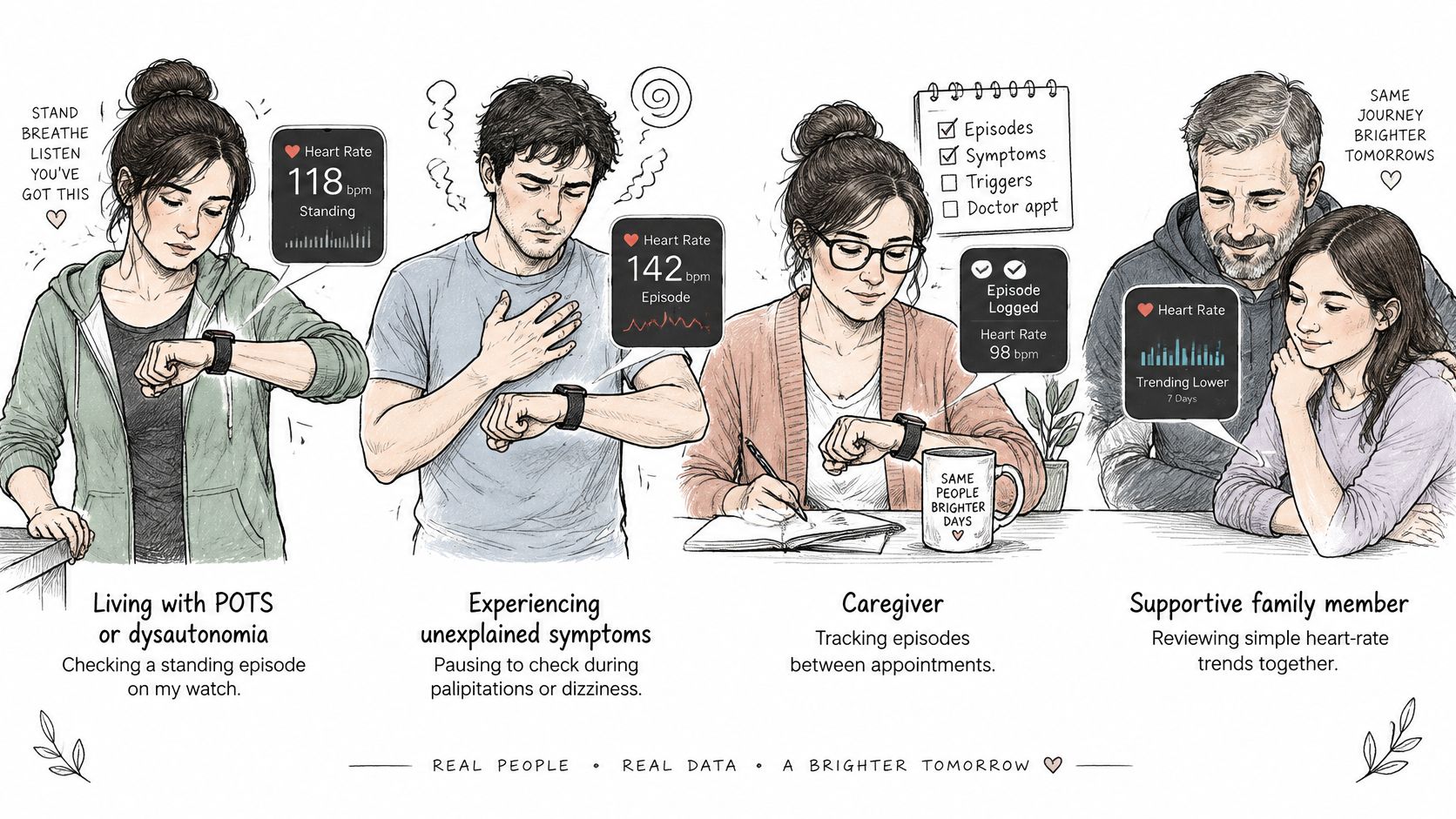
Different readers can use that history differently:
- People with POTS or dysautonomia can connect symptoms and daily context to recorded rises rather than keeping separate, disconnected notes.
- People with unexplained palpitations or dizziness can bring a clearer account of when symptoms occurred, even when the watch doesn't explain them.
- Caregivers and advocates can help prepare a concise summary before an appointment, with the person's permission.
- Clinicians can consider the history alongside symptoms, examination findings and any diagnostic testing they judge necessary.
Keep missing information visible
Consumer hardware can produce incomplete, delayed or inaccurate heart-rate data, particularly during movement or poor sensor contact. A symptom without a corresponding rise in the graph doesn't prove that nothing happened.
Our app excludes workouts and recovery periods from episode detection, helping keep exercise-related changes separate from the episode list. That filtering still can't repair missing sensor readings.
A useful appointment summary includes what you felt, what you were doing and where the recording is uncertain, not just the most dramatic peak.
The validation studies discussed here don't provide POTS- or dysautonomia-specific validation for this use. Confirm that your watch captures your own episodes before relying on its history. A watch and an app support a conversation with your doctor; they don't diagnose anything.
Choose Your Watch and Test It Against Your Episodes
A useful two-week trial answers one question: does the watch record the episodes and everyday situations you need to discuss with your clinician? Treat the trial as a purchasing test, not a diagnostic protocol.
Run a practical wear test
- Wear it consistently. Keep the sensor snug, clean and comfortable. Note when charging takes it off your wrist.
- Record symptoms as they happen. Note your posture, activity and symptom timing. Don't deliberately provoke dizziness or remain standing to complete a measurement.
- Compare readings when practical. If you're safely seated, count your pulse and note the watch reading at the same time. A manual count is not an ECG reference.
- Review the results at the end of the trial. Decide whether the watch captured the situations you bought it for and whether its records can be shared in a useful format.
A structured heart-rate log can help you keep observations consistent. Prioritize useful records over perfect agreement between measurements.
Set up analysis without confusing it with diagnosis
Cardiogram connects to Apple Health with one tap using read-only access. Cardiogram Pro starts with a 3-day free trial, and no payment is taken at the start.
Bring an exported summary to your doctor, and don't treat an episode label as a diagnosis. Seek urgent care for serious symptoms even if a watch reading looks reassuring.
Choose a watch that fits your routine, then use the trial to see how well it captures the episodes that matter to you.
Visit Cardiogram to turn your Apple Health heart-rate history into automatically detected episodes, symptom-linked records and doctor-ready PDF summaries. Once you've checked that your watch captures your everyday episodes, use those records to prepare a clearer conversation with your clinician.