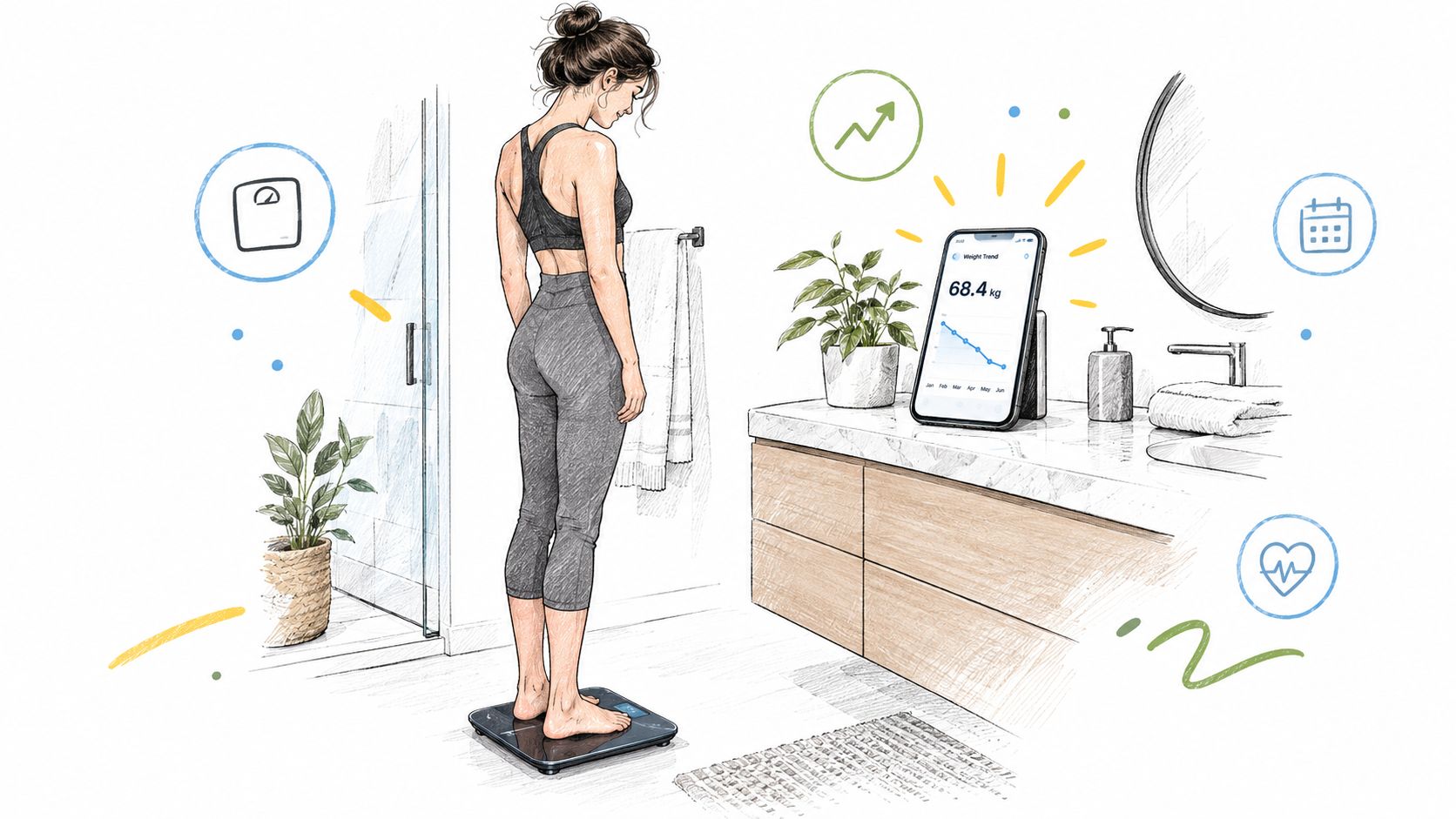
You step onto the scale before breakfast, wait for the number, and then open your phone. The weight is there, but the rest of the story is scattered. Was yesterday's change related to food, fluid, exercise, sleep, or a genuine shift in your body? A smart scale app can't answer every health question, but it can turn isolated weigh-ins into a readable record.
The scale is the sensor. The app is the memory, translator, and dashboard. It stores readings, shows patterns, connects compatible health data, and helps you decide whether a change deserves attention or just needs more context. That distinction matters for everyday wellness, and it matters even more for people managing fluid-sensitive conditions such as dysautonomia or POTS.
Introduction to Smart Scale Apps and Why They Matter
A traditional scale gives you an answer to one question, “What do I weigh right now?” A connected scale paired with an app can help you ask better questions: Is my weight moving in a consistent direction? Do unusual readings happen after disrupted sleep or exercise? Are my measurements being collected often enough to show a useful pattern?
That shift from a single number to a timeline is the central benefit. A morning reading can be affected by what you ate, how much you drank, when you last used the bathroom, and how active you were. The app gives those readings a place to sit beside one another, so you can judge a trend instead of reacting to every fluctuation.
The category has grown far beyond a novelty device. The global smart scale market was estimated at $3.57 billion in 2025 and is projected to reach $4.86 billion by 2030, implying a 6.3% CAGR from 2026 to 2030, according to the Smart Scale Global Market Report. A separate forecast estimates $1.80 billion in 2025 and $3.42 billion by 2033, with an 8.4% CAGR from 2026 to 2033, which shows that market estimates differ but point in the same broad direction, continued expansion.
Who benefits most from an app
An app can be useful if you're building a weight-management routine, monitoring training changes, or trying to keep a long health history in one place. It can also help a household separate each person's readings through individual profiles, provided the software handles user recognition well.
For people with POTS or dysautonomia, the useful question may not be body-fat percentage at all. Weight and fluid-related trends can become one contextual layer alongside symptoms, hydration, salt intake, and heart-rate patterns. Those records should support clinical conversations, not replace medical assessment.
The safest mindset is simple: use the app for consistency and context, not false precision. Weight readings are generally the strongest signal. Body-composition values are estimates, so their changes are more defensible as directional clues than as diagnoses.
What a Smart Scale App Does
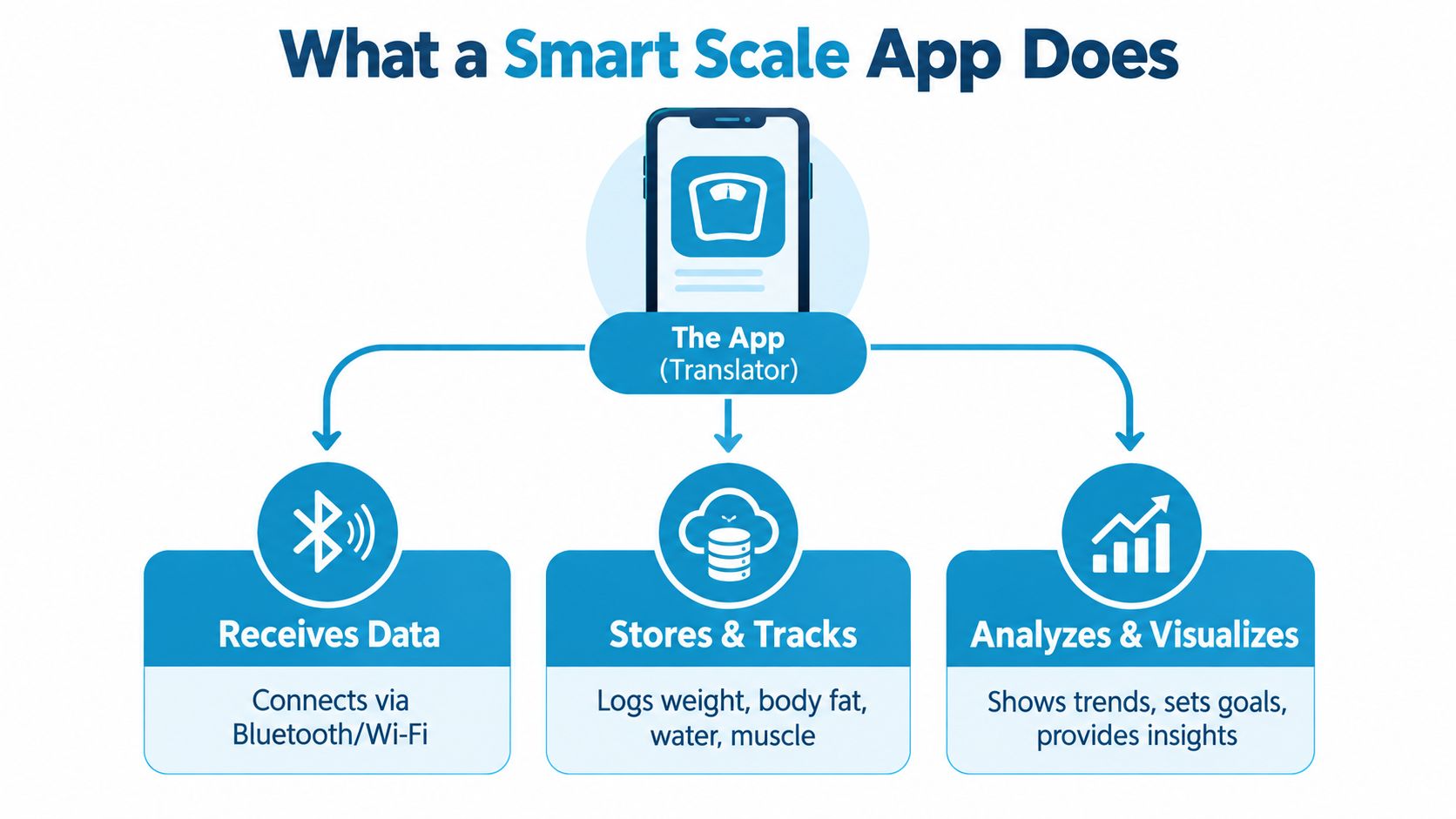
The app receives readings from the scale, attaches them to your profile, stores them, and turns repeated measurements into charts and summaries. The scale supplies signals. The app organizes those signals so you can review patterns, add context, and prepare information for a health conversation.
From the platform to your phone
The process usually follows a straightforward chain:
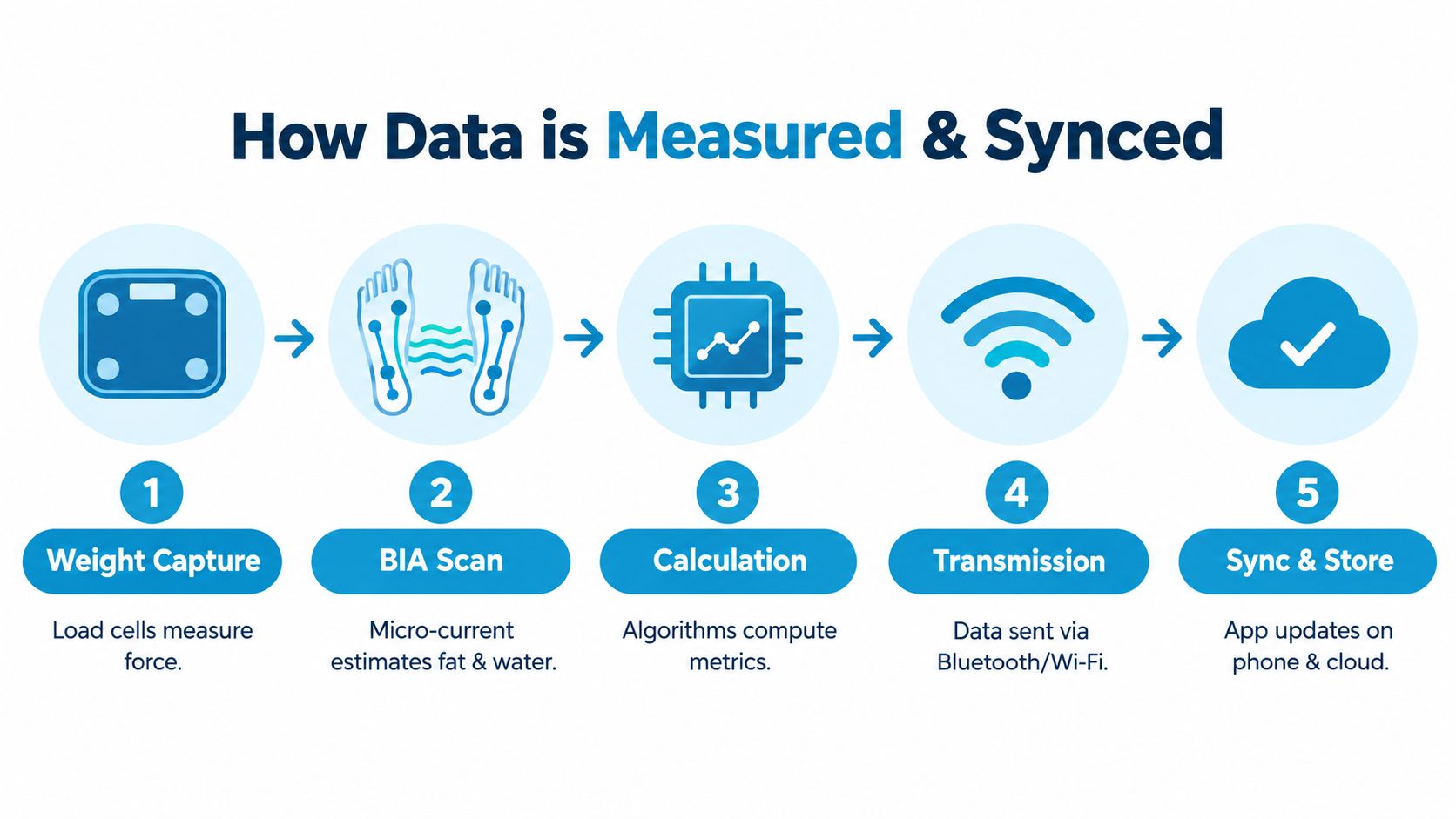
- The scale measures weight. Internal load cells detect the force applied to the platform and convert it into a digital reading.
- The scale may collect impedance data. Electrodes can send a very small electrical current through the body to estimate additional metrics.
- The device applies an algorithm. Profile information and sensor readings are combined to produce outputs such as BMI or estimated body composition.
- The app receives the result. Bluetooth may send the reading directly to a nearby phone, while Wi-Fi-enabled models can transmit it through a home network.
- The app builds a history. Each reading becomes part of a timeline, chart, average, goal view, or report.
The hardware and software are different products
Two people can own the same scale and have very different experiences because the app determines how usable the data becomes. One app may show clear trend lines and simple summaries. Another may display many estimates without explaining which readings are more dependable.
Most apps can store weight. Some also display body fat, body water, muscle-related estimates, bone-related estimates, visceral-fat ratings, BMI, or other calculated values. A listed metric is not automatically clinically precise. It reflects an estimate generated from available sensor inputs and profile information.
For people with dysautonomia or POTS, the app's value may lie in the record rather than any single body-composition result. Weight and fluid-related changes can sit alongside symptoms, hydration, salt intake, heart-rate patterns, and daily context. A dated history can help make those observations easier to discuss with a clinician, while medical assessment remains separate.
Why history matters more than a snapshot
A single reading describes one moment. It cannot show whether your weight is improving, stable, or unusual. Repeated measurements taken under similar conditions provide more useful context, especially when you annotate illness, travel, exercise, sleep disruption, dietary changes, or symptoms.
The app therefore works as a personal measurement diary, not just a digital bathroom display. Its practical value comes from consistent observations, visible trends, and privacy choices that let you control how health data is stored and shared. Use it for context and direction, not false precision.
How Smart Scale Apps Measure and Sync Your Data
The weight measurement itself is relatively direct. Sensors under the platform detect the force your body applies, then the device converts that force into a weight reading. The additional metrics are more interpretive because they rely on bioelectrical impedance analysis, commonly called BIA.
During a BIA reading, the scale sends a tiny electrical current through the body using foot electrodes. Different tissues conduct electricity differently, and the device measures resistance. An algorithm then combines that signal with profile information and weight to estimate body fat, water, lean tissue, or related values.
Why the same body can produce different estimates
BIA readings are sensitive to the testing environment. Hydration status, foot placement, skin temperature, and ambient conditions can change electrical resistance and shift the resulting estimates. A reading after exercise or at a different time of day may therefore look different even when your underlying body composition hasn't changed in the way the app suggests.
A peer-reviewed clinical study found that smart scales were reasonably accurate for total weight but should not be used routinely to assess body composition, particularly in severe obesity, and should not replace DEXA for clinical care. You can review the findings in the peer-reviewed smart-scale accuracy study.
Practical rule: Treat weight as the more dependable home signal. Treat body-fat and lean-mass outputs as directional estimates that become more useful when collected under consistent conditions.
How syncing moves the reading
Bluetooth typically sends data to a nearby phone. Wi-Fi can allow a scale to upload readings without requiring the phone to be beside it, although the exact setup depends on the device and app. Some apps can also pass selected measurements into a central health record, where weight trends can sit alongside activity, sleep, or heart-rate information.
Before buying, check exactly what the integration can do. A connection may support sending weight into a health platform but not every body-composition estimate. For a practical explanation of Apple Health integration, review which permissions are requested, what data can be shared, and where the record will appear.
The sync path matters because every extra connection adds another place where data can be delayed, duplicated, or misclassified. If a reading appears twice, disappears, or lands under the wrong profile, check the scale's connection, the app account, and the destination health record separately.
Privacy and Security Considerations for Health Data
A smart scale collects more than a number on a display. Over time, the app may hold weight history, body-composition estimates, profile details, timestamps, and connected health information. That collection can reveal patterns about your routines and health, so privacy belongs in the buying decision, not at the bottom of the setup screen.
Start by asking where the data goes after you step off the scale. Some systems send readings to a cloud account, which supports access across devices and automatic backups. Others keep more processing and storage on the phone, which can reduce external exposure but may make recovery or multi-device access less convenient.
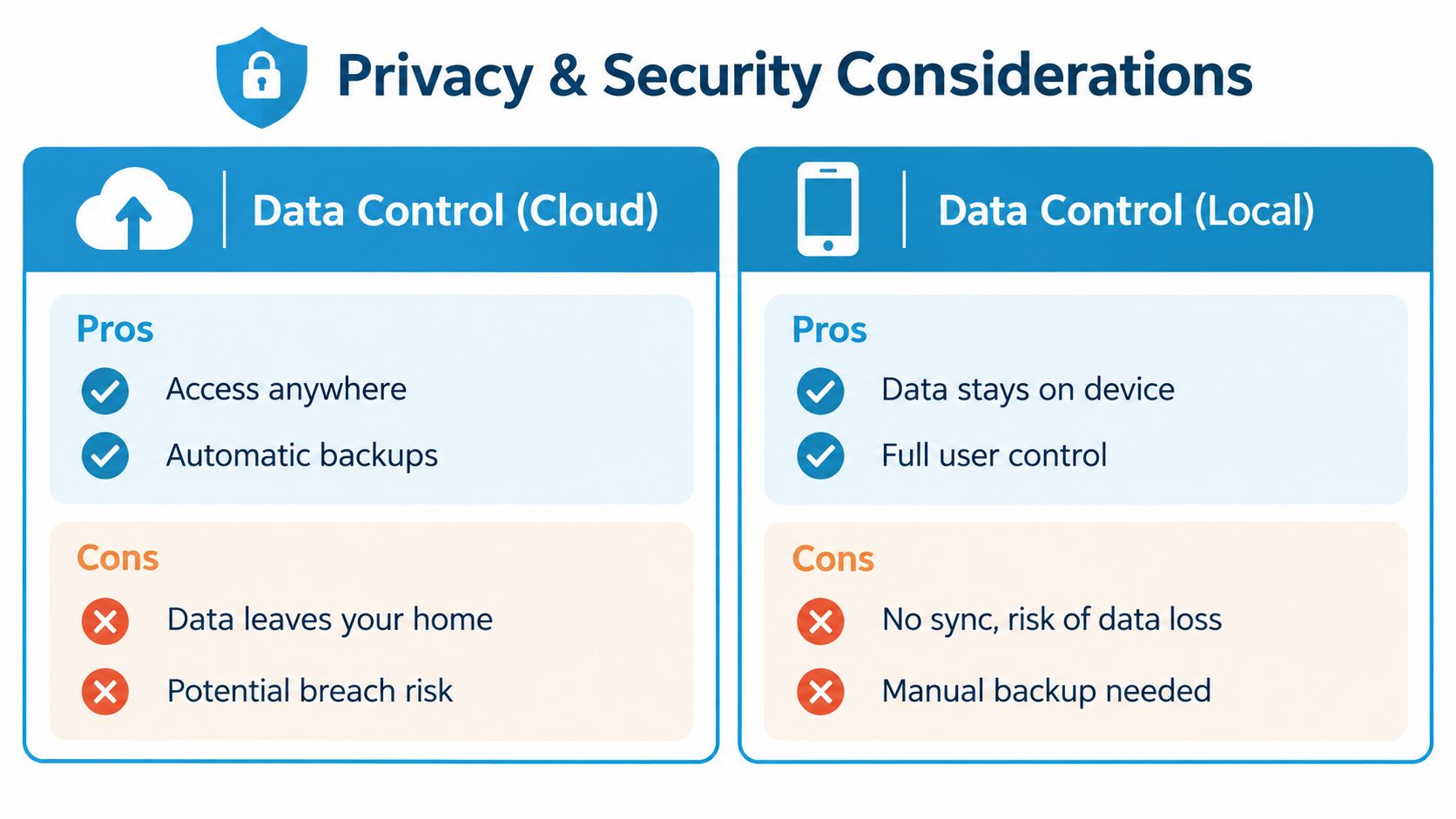
Cloud convenience versus local control
Cloud storage can be convenient when you want a long history available after changing phones or when several household members need access. The trade-off is that the data leaves your home and becomes subject to the provider's account security, retention rules, deletion process, and sharing practices.
Local-first processing keeps more activity on the device. It can limit unnecessary transfers, but you'll need to understand how backups work and what happens if the phone is lost or replaced. Neither model is automatically perfect. The better choice depends on how much convenience you need and how much control you want.
Questions to ask before creating an account
Read the privacy policy in practical terms. Look for answers to these questions:
- Storage: Is the history stored on the phone, in the cloud, or in both places?
- Retention: How long does the provider keep inactive or deleted records?
- Deletion: Can you remove your account and associated health data without contacting support?
- Sharing: Does the app share information with advertising or analytics partners?
- Permissions: Does it request read-only access, or can it write and alter health records?
- Export: Can you download your history in a useful format before leaving?
The health data privacy guide offers a useful framework for thinking about permissions, storage, and control across connected health apps. For sensitive data, a minimal-permission design is preferable. You shouldn't have to grant broad access just to record a weight reading.
Features to Look For When Choosing a Smart Scale App
Choose the app before you get distracted by the scale's feature count. A reliable platform with clear trends, dependable syncing, and useful exports will usually serve you better than an impressive list of metrics you won't interpret.
Match features to the job
For general wellness, prioritize a frictionless routine. The app should recognize your profile, save readings without repeated manual work, display trends clearly, and let you set a goal without making every weigh-in feel like a test.
For clinical tracking, the priorities change. You'll want a complete history, timestamps, notes, exportable reports, and a way to distinguish raw readings from algorithm-generated estimates. If a clinician needs to review patterns, a clean PDF or structured export is more useful than a colorful dashboard that can't be shared.
| Feature | Why It Matters | Priority for General Wellness | Priority for POTS and Clinical Tracking |
|---|---|---|---|
| Reliable weight sync | Prevents gaps and duplicate entries | High | High |
| Trend charts and summaries | Makes direction easier to interpret | High | High |
| Apple Health compatibility | Places weight beside other health records | Useful | High |
| Exportable reports | Supports appointments and longitudinal review | Nice to have | High |
| Context notes | Connects readings with symptoms and routines | Useful | High |
| Multi-user profiles | Keeps household histories separate | High for shared use | Useful |
| Goal setting | Encourages a consistent routine | Useful | Lower |
| Body-composition estimates | Adds context, but isn't diagnostic | Optional | Directional only |
Look for interpretation, not decoration
Heatmaps, weekly summaries, rolling views, and clearly labeled trends can help you notice recurring patterns. The app should also make unusual readings easy to identify without turning them into alarming conclusions.
If body-water values are part of your routine, learn what the app means by the metric and how it derives it. The healthy total body water percentage guide can help you approach water-related readings with appropriate caution rather than treating one estimate as a verdict.
Prioritize export and ownership
Long-term users should be able to retrieve their own history. Look for CSV, PDF, or other practical export options, and check whether the export includes dates, metric names, units, and notes. A chart screenshot may be convenient, but a clinician often needs a chronological record with enough context to interpret it.
The best app is the one you'll keep using. For simplicity, choose fewer screens and automatic syncing. For clinical sharing, choose history, notes, and exports. For privacy, choose minimal permissions and transparent storage controls.
Real World Use Cases Including Support for Dysautonomia and POTS
Consider someone who wants to understand gradual weight change. They weigh under similar morning conditions, allow the app to collect a history, and review the overall direction rather than judging one reading. A temporary increase may reflect fluid or food volume, while a longer pattern is more useful for deciding whether a routine is producing the expected result.
An athlete might use the same app differently. After training, hydration and fluid distribution can affect BIA estimates, so the athlete records workout context and avoids treating a sudden body-fat change as a literal change in tissue. Weight trends can still be useful, but the composition screen becomes a supporting signal rather than the main scoreboard.
A POTS-focused example
A person with POTS or another form of dysautonomia may care about relationships between weight, fluid-related patterns, symptoms, salt intake, sleep, and heart rate. A smart scale app can provide one time-stamped data stream, while an Apple Watch and compatible health record may provide another. The goal isn't to make the scale diagnose POTS. The goal is to help the person and clinician review several observations together.
Context logging makes the difference. A person could note dizziness, palpitations, fatigue, hydration, salt intake, medication changes, or disrupted sleep near a reading. Later, an exportable summary can make a complicated history easier to discuss than memory alone.
Why trends are safer than isolated conclusions
A single body-fat estimate can move because the measurement conditions changed. A sequence collected under similar conditions gives you a better chance of seeing a meaningful direction, although it still isn't a clinical body-composition test.
For clinician-ready tracking: Preserve the date, measurement conditions, symptoms, relevant intake, and related heart-rate context. A number without context is harder to interpret.
POTS symptoms can vary from day to day, and a scale can't explain every fluctuation. If readings change sharply, feel implausible, or coincide with concerning symptoms, share the record with a qualified clinician instead of adjusting treatment based on the app.
Practical Tips for Setup and Getting Reliable Results
Begin with the physical setup. Put the scale on a hard, level surface, install fresh batteries if needed, and create separate user profiles before the first household weigh-in. Keep the phone nearby during pairing, then confirm that a test reading reaches the app and, if enabled, the connected health record.
Build a repeatable routine
Consistency improves interpretation because it reduces avoidable variation. Many people choose the same morning routine, after using the bathroom and before eating or drinking, with bare feet and stable placement. The exact routine matters less than repeating comparable conditions.
Use this simple playbook:
- Pair once, verify twice. Confirm the scale connects and that the correct profile receives the reading.
- Review permissions. Allow only the health-data access the app needs, and check whether permissions are read-only.
- Record context. Add notes for exercise, illness, unusual meals, disrupted sleep, symptoms, hydration, or medication changes.
- Read the pattern. Look across a sustained period rather than reacting to one day.
- Export when useful. Create a dated summary before a clinical appointment, especially if you're tracking POTS or dysautonomia.
- Troubleshoot methodically. Check surface, foot contact, batteries, Bluetooth or Wi-Fi status, profile assignment, and app updates before assuming your body changed suddenly.
If body-composition numbers jump while weight and circumstances look stable, treat the composition change as uncertain. If syncing fails, record the reading manually and reconnect the system later rather than abandoning the history.
A smart scale app works best as a calm record-keeping tool. Small, consistent measurements are more useful than perfect-looking numbers, and privacy choices should remain part of that routine.
If you want to place scale trends beside Apple Watch heart-rate patterns, symptoms, and context in a privacy-focused workflow, visit Cardiogram to explore clinician-ready summaries for POTS and dysautonomia tracking. You can use it to turn complex heart-rate history into structured information for more focused health conversations.